Your domain.
TrunkTransfer is invisible.
Connect your own domain on Starter. Every delivery link becomes files.youragency.com: not trunktransfer.com. Your client sees your URL, your brand, and nothing else.
What your client sees
Without a custom domain
trunktransfer.com/d/abc123
TrunkTransfer name in the URL and on the page. Your client knows what platform you use.
With your custom domain
files.yourbrand.com/d/abc123
Your domain. Your brand. No mention of TrunkTransfer anywhere in the URL or on the page.
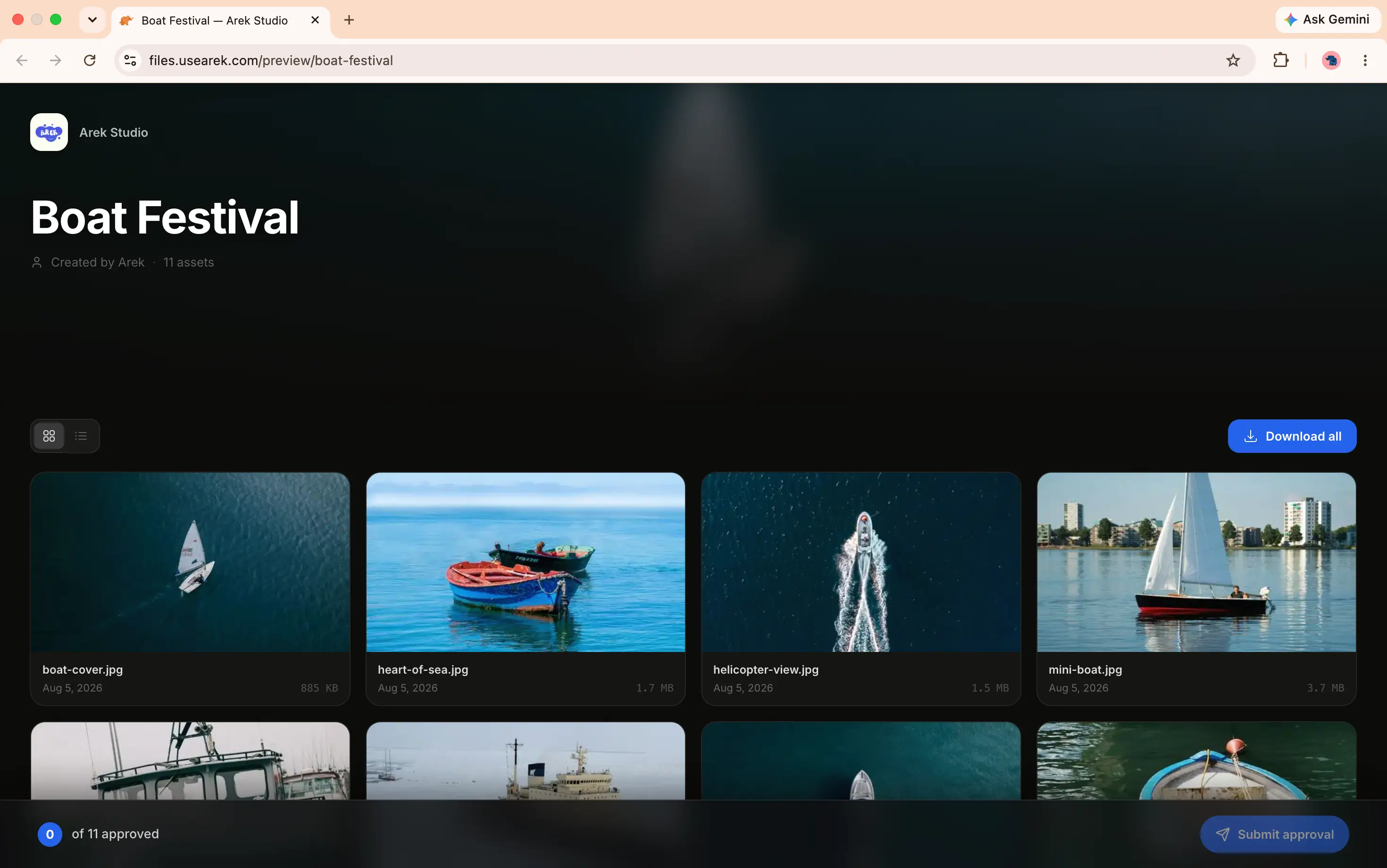
Add your subdomain, copy the CNAME record, paste it at your DNS provider. Done.
How it works
Add your subdomain
In Settings, enter the subdomain you want to use: for example files.yourstudio.com.
Add a CNAME record
Copy the CNAME value from your settings and add it to your DNS provider. Takes about two minutes.
Start delivering
Once DNS propagates, every delivery link you generate uses your domain. Your client never sees trunktransfer.com.
What you get
Your subdomain in every link
Every delivery URL uses your domain. files.yourstudio.com/d/abc: not trunktransfer.com/d/abc.
Automatic SSL
HTTPS is provisioned automatically. Your clients see the padlock icon and your domain without any extra setup.
Works with any DNS provider
Add a single CNAME record at Cloudflare, GoDaddy, Namecheap, Squarespace, or wherever your domain lives.
Zero TrunkTransfer branding
Combined with custom branding, your client sees only your studio. No platform name, no logo, no attribution.
Multiple deliveries, one domain
Every transfer you send: regardless of the recipient: goes out from the same custom domain.
Client portals on your domain
Client portal URLs also use your custom domain. One consistent branded address across every touchpoint.
How we compare
Most tools do not offer a real custom domain.
Pair with custom branding
Domain plus branding: complete white-label delivery.
Custom domain handles the URL. Custom branding handles the page: your studio name, avatar, background color, and accent. Together they make the delivery experience feel entirely yours. Your client has no idea TrunkTransfer exists.
See custom branding →Common questions
How do I set up a custom domain on TrunkTransfer?
After upgrading to Starter, go to Settings and add your custom domain. You'll get a CNAME record to add to your DNS provider. Once the record propagates: usually within minutes: your deliveries go out from your own domain. No technical setup beyond adding the CNAME.
Will my client ever see the TrunkTransfer name?
No. With a custom domain on Starter, TrunkTransfer is completely invisible. Your client sees your domain in the browser bar, your studio name on the page, and no mention of TrunkTransfer anywhere: not in the URL, not in the footer, not in any email.
What domain should I use for file delivery?
A subdomain of your existing studio domain works best. Something like files.yourstudio.com, deliver.yourstudio.com, or assets.yourstudio.com. You add a CNAME record for that subdomain pointing to TrunkTransfer and it is ready to use.
Does TrunkTransfer provide SSL for my custom domain?
Yes. SSL is handled automatically. Your clients see the padlock icon and your domain over HTTPS without any extra configuration on your end.
What plan do I need for a custom domain?
Custom domain is included on Starter at $9/month. Connect your own domain and every delivery goes out from your brand instead of trunktransfer.com.
Your domain on every delivery.
Starter plan. Set up in two minutes. TrunkTransfer stays invisible.
Start 7-day trial →