One branded URL per client.
Every delivery and every approval, inside.
Stop sending a new link for every delivery. Create a portal for each client, add your files, and collect timecoded feedback, all from your own domain. Clients bookmark it once and never lose a file again.
Start 7-day trial →WeTransfer killed Portals in December 2025.
WeTransfer Portals let you create a named workspace per client with a fixed URL. Your client bookmarked it and found all their deliveries in one place. WeTransfer removed it without warning or migration path. TrunkTransfer replaces exactly that workflow, and adds branded approval on top.
Everything included with a portal
One workspace per client: deliveries, feedback, branding, and access, all in one place.
Persistent client URL
One link per client. Never a new one.
Create a portal for each client or project. A clean, persistent URL is generated instantly, and every delivery you add after that appears inside automatically. Your client bookmarks it once and never asks for the link again.
- One URL that never changes
- Every new delivery appears automatically
- Newest deliveries shown first
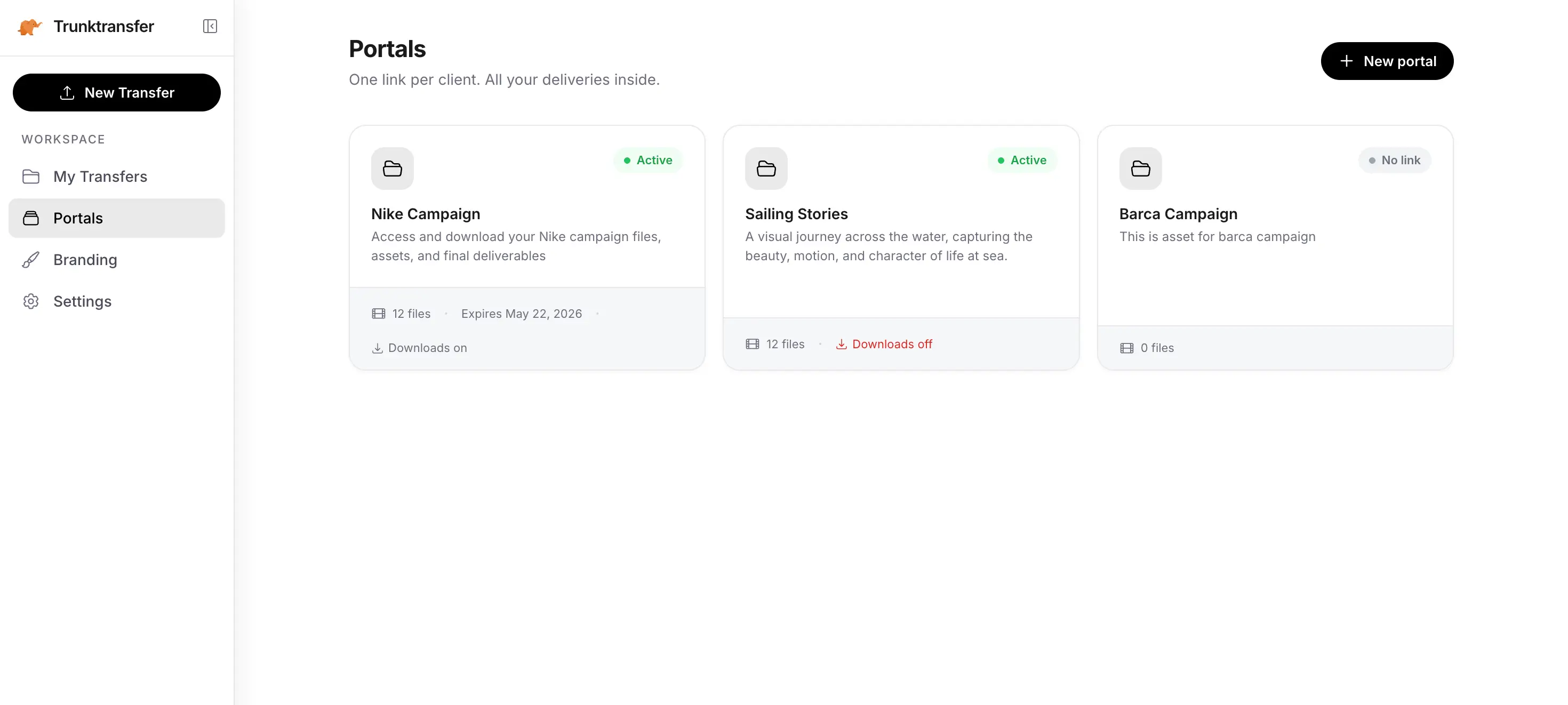
Create a portal in seconds. Name it after your client, add an optional password, and start uploading.
No client account needed
Your client just opens the link.
No TrunkTransfer account, no app, no login screen. Your client visits the portal URL in any browser and sees every file you've sent them, ready to download or review.
- Works on any device, any browser
- No signup, no password unless you set one
- Same experience for every client, every time
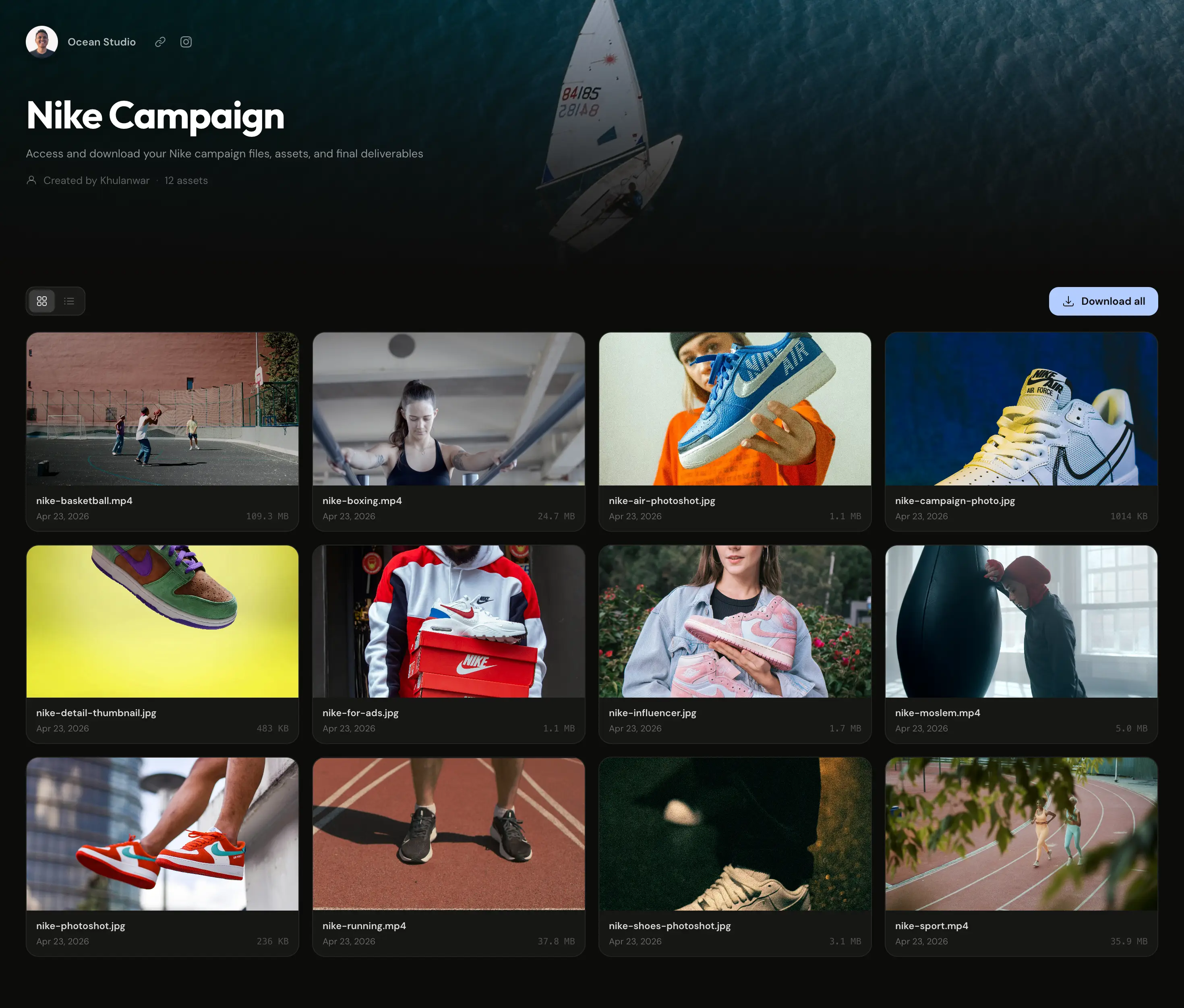
All deliveries for a client in one named, branded workspace.
Timecoded review
Feedback pinned to the exact frame.
Your client clicks the video timeline at the moment they want to comment on, and that note is linked to that exact timecode. No more "at around the 2 minute mark" emails, you see precisely which frame they mean.
- Comments pinned to an exact timecode
- No reviewer account needed
- Approve or request changes per file
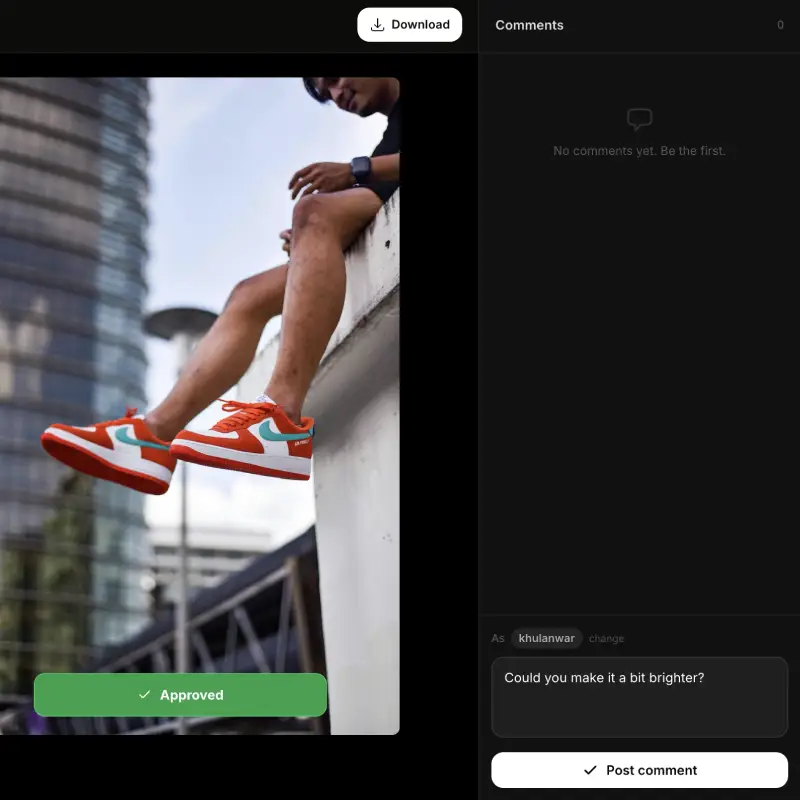
Your client pauses, comments, and approves, all without leaving the browser.
Password protection
Lock the whole portal, not just a file.
Add a password to any portal so only your intended client can open it. Useful when a portal holds multiple unreleased deliverables you're not ready to make public.
- One password protects every file inside
- Change or remove it anytime
- Same bcrypt hashing used across TrunkTransfer
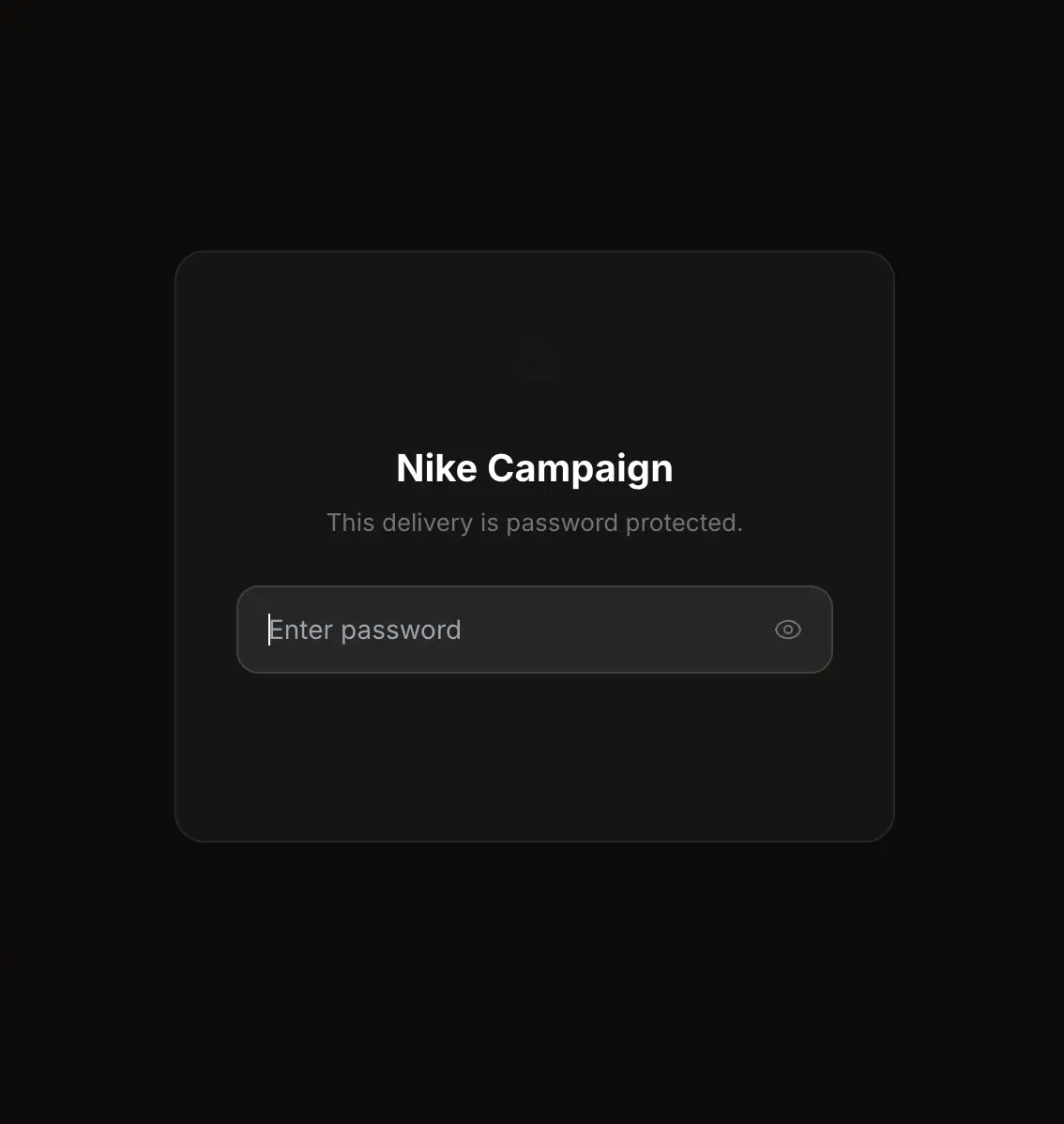
Clients enter the password you set before seeing anything inside.
Custom domain
Portals on your domain, not ours.
Serve every portal from files.yourbrand.com instead of trunktransfer.com. Combined with your branding, a client visiting their portal has no way of knowing which platform you use.
- clients.yourbrand.com instead of trunktransfer.com
- Same domain used across Send, Request, and Portal
- Automatic SSL, no developer required
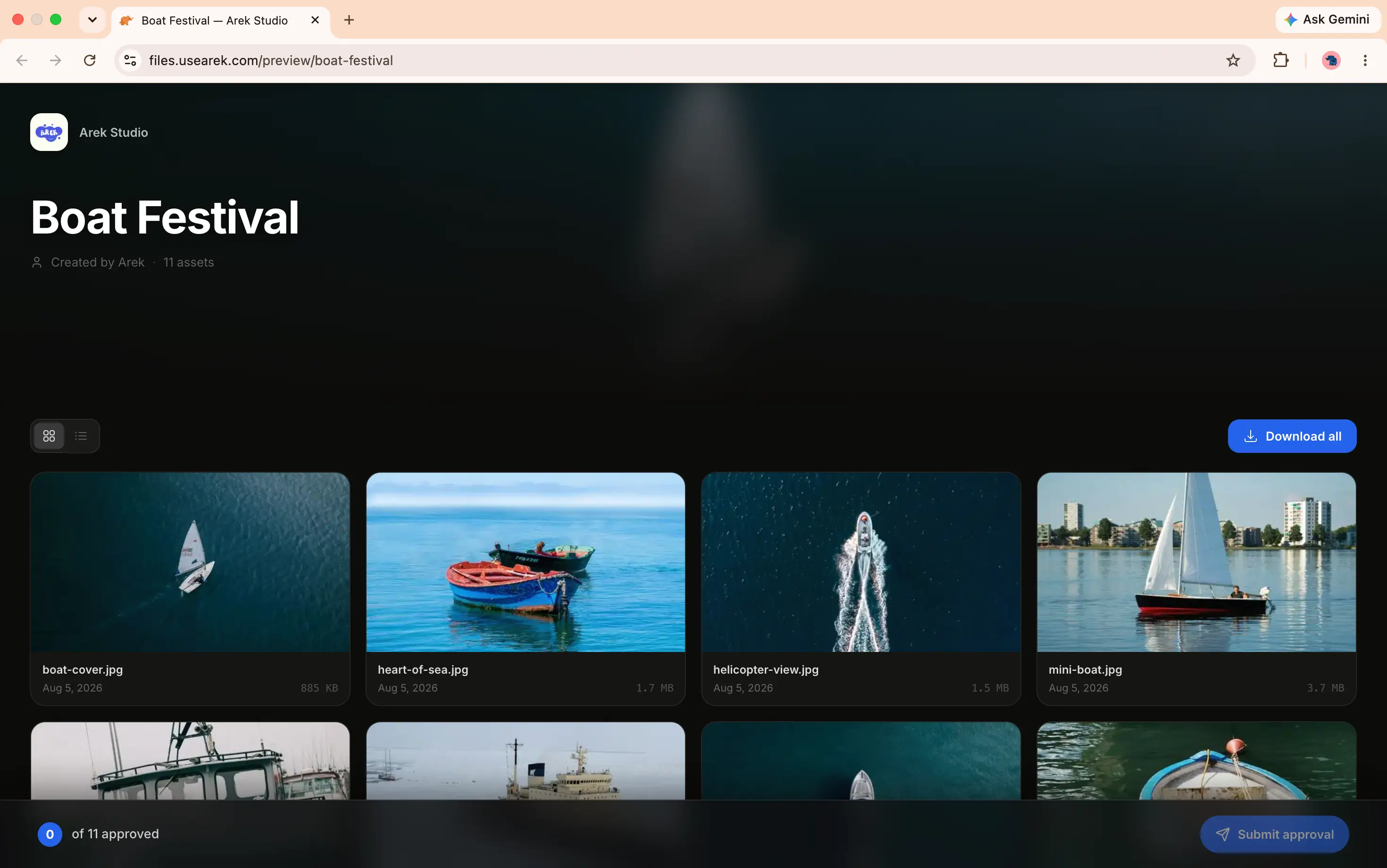
Add your subdomain, copy the CNAME record, paste it at your DNS provider. Done.
Custom branding
Your name throughout, not ours.
Your display name, avatar, and brand colors appear on every portal and review page a client opens. TrunkTransfer branding never shows.
- Avatar with initials fallback
- Custom background and accent color
- Consistent across every portal you create
Your name, avatar, and brand colors. TrunkTransfer is invisible to your client.
Custom email
Portal share emails from your address.
When you share a portal by email, it sends from your own verified domain instead of notifications@trunktransfer.com. Your client's inbox shows your name, not a third-party platform.
- Sent from your verified domain
- Same setup used for delivery emails
- DNS verification handled in Settings
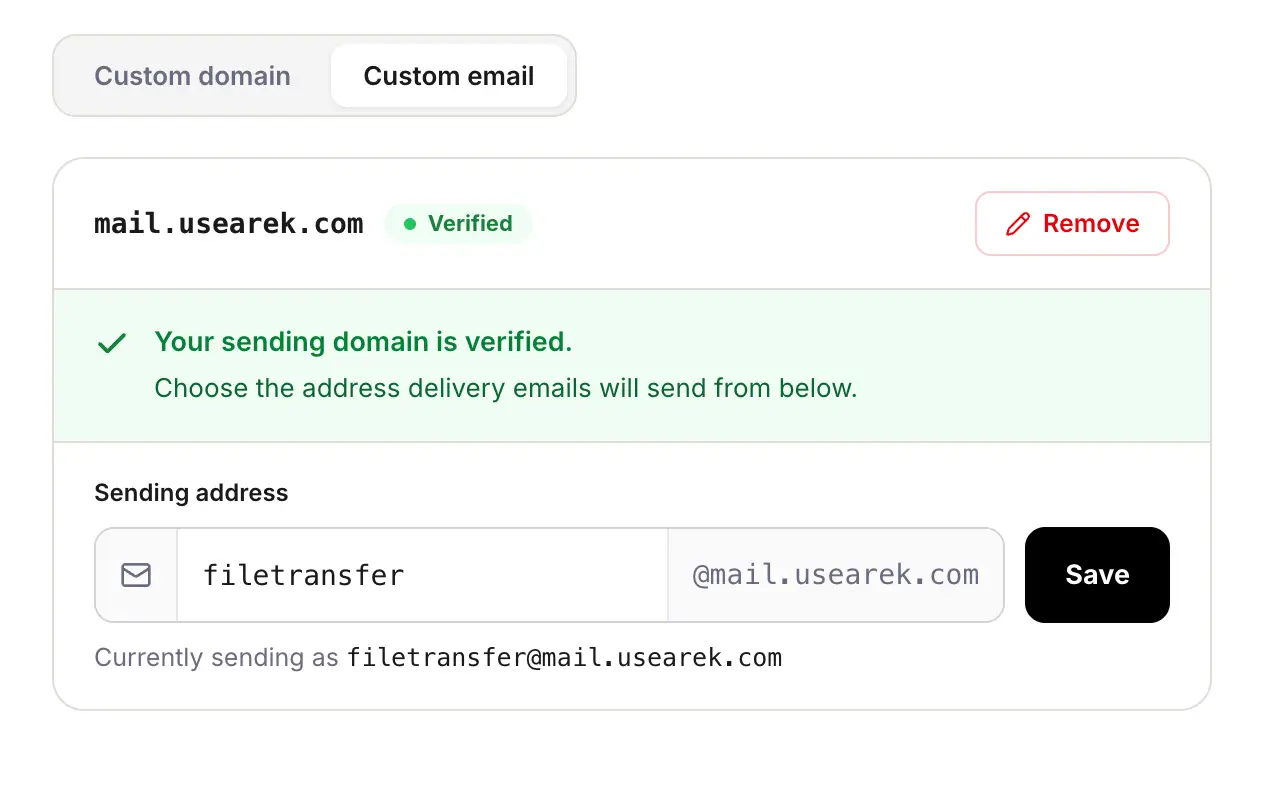
Connect your domain once. Portal shares and deliveries both send from you.
Custom link slugs
A portal URL your client recognizes.
Replace random characters with a slug you choose, like clients.yourbrand.com/p/nike-campaign instead of a random string. Works alongside your custom domain. Pro.
- Set your own slug when creating a portal
- Availability checked instantly
- Works with your custom domain
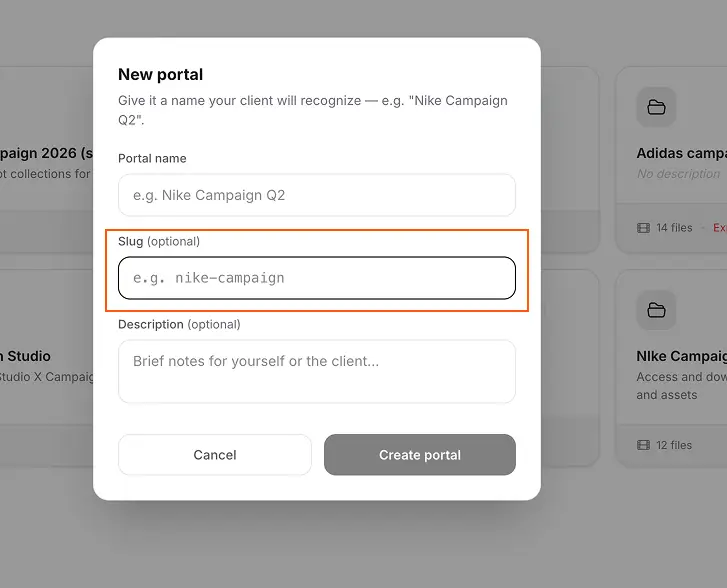
Type your own slug instead of a random string. Availability checked as you type.
Custom domain home page
Your bare domain, never a dead page.
Point files.yourbrand.com to a portal or request link instead of showing nothing at the root. Anyone who lands on your bare domain sees something branded and useful. Pro.
- Choose a portal or request link as your homepage
- Falls back to a default page if the target expires
- One less confusing URL for clients
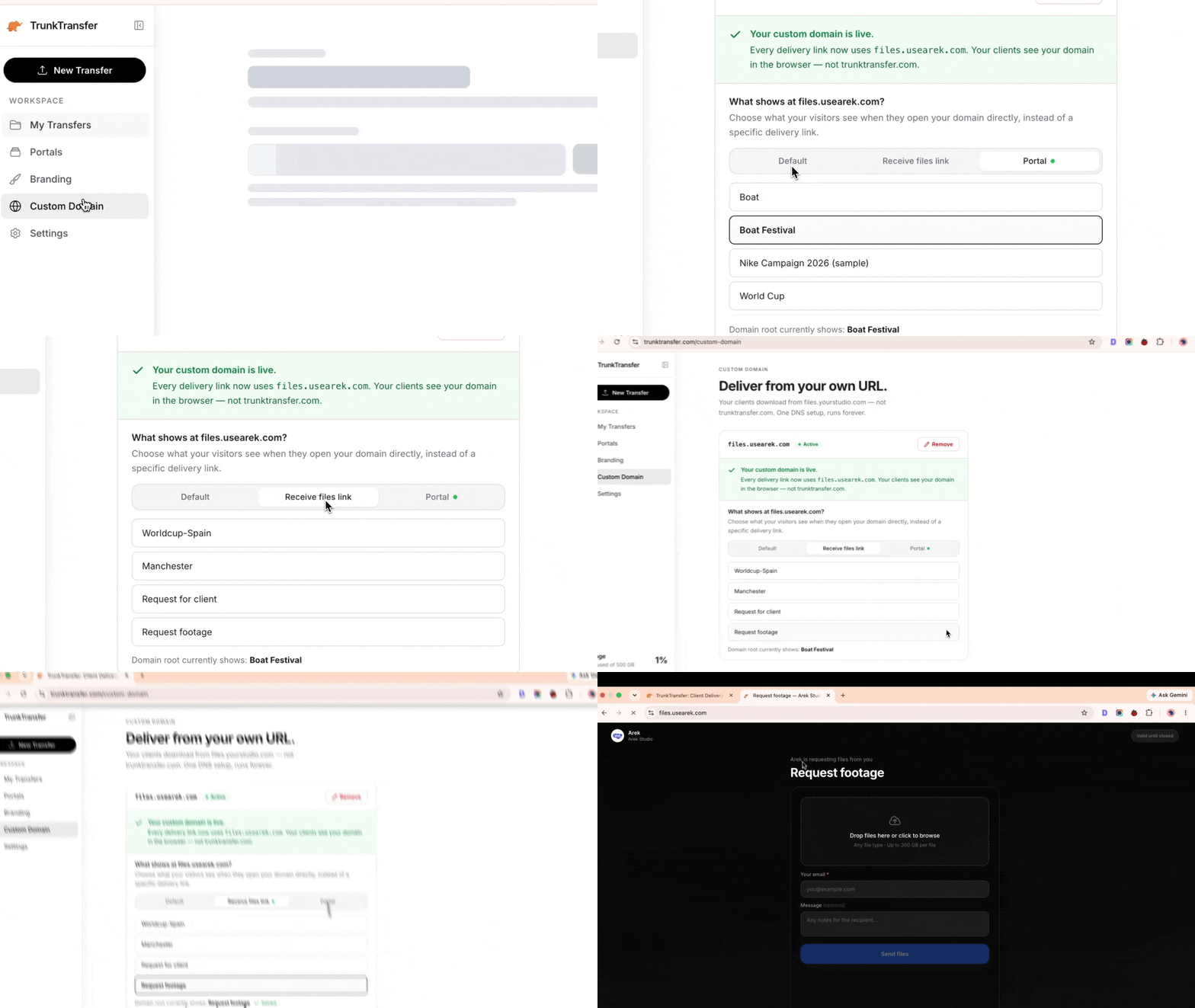
Choose what your bare domain shows: a portal, a request link, or the default page.
How it works
Create a portal or review project
Name it after your client or project. A clean, branded URL is generated instantly.
Add deliveries
Upload files directly. Every delivery appears inside automatically, ready for download or feedback.
Share one link
Send one URL. Your client bookmarks it, downloads files, and leaves timecoded feedback, forever.
Common questions
What is a Client Portal in TrunkTransfer?
A Client Portal is a named, branded workspace you create for a specific client. Every delivery you send them lives inside one persistent URL on your own domain. Your client bookmarks it and always knows where to find their files, no account required.
Do clients need an account to access a portal or leave feedback?
No. Clients open the portal or review link in any browser. No TrunkTransfer account, no app, no login. Optional password protection is available on Starter.
How do timecoded comments work?
When your client clicks on the video timeline to pause at a specific moment, their comment is linked to that exact timecode. You see exactly which frame they are referring to, no back-and-forth emails describing the moment.
How many client portals can I create?
Starter includes up to 5 active client portals. Pro includes unlimited portals for professionals managing many client relationships at once.
Can I add my own branding to a portal?
Yes. On Starter, your custom domain, display name, avatar, and brand colors appear throughout every portal and review page. TrunkTransfer is completely invisible to your client.
What plan do I need?
Client Portals and Review Projects are both included on Starter at $9/month.
More from TrunkTransfer
One URL. Every delivery. Every approval.
Starter plan. Set up in two minutes. Clients never need an account.
Start 7-day trial →