

Frame.io is a specialist creative review and collaboration platform owned by Adobe. If the per-member pricing is the issue, or if you're using Frame.io mainly to send final files to clients rather than for video review, the tools below cover both angles. For agencies replacing Frame.io specifically for final client delivery, TrunkTransfer ($9/mo flat) is the most direct option with a true custom domain. For replacing Frame.io's review and approval features, Wipster, Filestage, or Hightail are the closest alternatives. For agencies whose real problem is media scattered across storage providers rather than review itself, Iconik solves a different layer entirely. The rest of this guide covers all eleven with current pricing and what each one does well.
Quick Comparison
| Tool | Best For | Custom Domain | Review & Approval |
|---|---|---|---|
| TrunkTransfer | Branded final delivery | Yes (Starter+) | Yes (comments, file-level approval) |
| Iconik | Media asset management across storage | No | Yes (share, review, collaborate) |
| Hightail | Review + file delivery | No | Yes (annotation, approval) |
| Wipster | Video review and approval | No | Yes (time-coded comments) |
| Filestage | Structured approval workflows | No | Yes (multi-stage approvals) |
| Vimeo Review | Video review for Vimeo users | No | Yes (time-coded comments) |
| MASV | Very large file transfer | No | No |
| Google Drive | Teams on Google Workspace | No | Comments only |
| Dropbox | Internal storage and sharing | No | Basic comments |
| Loom | Video messaging and feedback | No | Basic comments |
| Bynder | Digital asset management | No | Approval workflows |
Why Look for a Frame.io Alternative
Frame.io is genuinely well-built for creative review. Time-coded comments, frame-accurate annotations, version stacking, Camera to Cloud, and a Premiere Pro panel that drops client comments directly into your timeline are hard to replicate elsewhere. The reasons agencies look for alternatives come down to four things:
Per-member pricing scales up fast. Pro is $15/member/mo (monthly) for up to 5 members, and Team is $25/member/mo for up to 15 members. A 5-person studio on Pro pays $75/mo monthly. A 10-person studio on Team pays $250/mo. For agencies using Frame.io mainly to send files to clients rather than for active review workflows, that's a high price for features going unused.
No custom domain on any plan. Custom-branded shares on Pro and above produce a polished review presentation, but every link lives on Frame.io's infrastructure. There's no plan, including Enterprise, where a client receives a delivery link on files.yourstudio.com.
Adobe ownership creates lock-in concerns. Frame.io was acquired by Adobe in 2021 and is now deeply integrated into Adobe Creative Cloud. For studios not in the Adobe ecosystem, the integration benefits don't land and the pricing still applies.
Free tier is very limited for real work. The free plan caps storage at 2GB total across 2 projects and 2 members, which is unusable for most production workflows.
What to Look For Instead
Separate what you need from Frame.io. Most agencies use Frame.io for two distinct things: internal review and client review during production, and final delivery to the client. These are different problems and rarely need the same tool. Identifying which one you're replacing changes the answer significantly.
Review alternatives. Time-coded comments, approval routing, version control, and client feedback links are the core review features. Wipster, Filestage, and Hightail all cover this territory at different price points.
Delivery alternatives. A branded download page on your own domain, a client portal collecting all past deliveries, and download notifications are the delivery features. TrunkTransfer covers all three at a flat $9/mo.
File size. Frame.io Pro's 2TB storage is generous. Check that a replacement covers your actual working storage needs rather than just the file-sharing use case.
The 11 Alternatives
1. TrunkTransfer
TrunkTransfer is built specifically for final client delivery: sending finished files to clients in a way that looks like it came from your studio. The Starter plan ($9/mo, or $6/mo billed yearly) includes 200GB per transfer with a 30-day expiry, a custom domain, full branding, and client portals.
Key features:
- Delivery pages on your own domain (e.g.
files.youragency.com), with no TrunkTransfer branding visible to clients - Client comments and file-level approval built into the portal, no client account required
- Client portals so each client has one link collecting every delivery you've sent them
- Custom email notifications so delivery emails send from your own address (e.g.
delivery@youragency.com) instead of TrunkTransfer's, on Pro - Custom link slugs on Pro, so a link reads
files.youragency.com/d/nike-shootinstead of a random string - Email notifications when a client downloads a file
- Password protection and link expiry on every transfer
Pros:
- Flat $9/mo, not per-member, so a 10-person studio pays the same as a 1-person studio
- True custom domain from Starter, the only tool on this list with that at a standard price
- Branding covers the whole exchange, the link, the page, and the sending email, not just a logo on a vendor-hosted page
- Client comments and file-level approval are built into the portal: clients can leave feedback and flag files as approved without creating an account
Cons:
- No frame-accurate drawing annotations or time-coded video comments: client feedback is file-level, not frame-level
- No version stacking or side-by-side version comparison
- 200GB per transfer cap on Starter, not suitable for very large raw production files
How it compares to Frame.io: TrunkTransfer doesn't replace Frame.io's frame-accurate annotation and time-coded review workflow, but it replaces the final delivery step and covers a basic approval loop at a fraction of the cost. Clients can leave comments and mark files as approved directly in the portal without signing up anywhere, which handles the "did the client sign off?" question for most final deliveries.
Where Frame.io's branded shares put your logo on a Frame.io-hosted page, TrunkTransfer puts the delivery on your own domain, and, on Pro, the delivery email on your own address and the link itself in your own words.
For agencies using Frame.io mainly to send final files and collect a simple approval, TrunkTransfer does that job at $9/mo flat versus $75/mo+ for a 5-person Frame.io Pro team. See the full TrunkTransfer vs Frame.io comparison for a closer side-by-side.
Best for: Agencies that want to replace Frame.io's final delivery step with a branded, custom-domain delivery page, while keeping a separate review tool for the production feedback phase.
2. Iconik
Iconik is a media asset management platform that unifies libraries across cloud and on-premise storage, with AI that tags and organizes content so teams search once to find any version. Pricing is custom, based on storage volume and user count.
Key features:
- Single searchable view across AWS, Wasabi, B2, Cloudflare R2, and on-premise storage
- AI-driven auto-tagging and metadata
- Share, review, and collaborate: shareable review links with comments on proxies, built on top of the asset library
- Adobe Premiere Pro and DaVinci Resolve integrations
- Proxy generation for lightweight review of large source files
Pros:
- Storage-agnostic, so libraries can grow without a single infrastructure choice
- Editors pull assets inside the timeline instead of hunting through folders
- Review and sharing are built on the same library, so feedback happens right where the asset already lives, no separate upload to a review tool
Cons:
- Review is lighter than Frame.io's: comments on proxies rather than frame-accurate drawing annotations
- Not a client delivery tool
How it compares to Frame.io: Iconik sits upstream. Frame.io reviews the cut; Iconik is where the cut, its versions, and every related asset actually live and get found. Iconik does include its own share, review, and collaborate layer, so light review can happen without leaving the library, but it doesn't match Frame.io's frame-accurate annotation depth.
Best for: Agencies whose media has spread across multiple storages and who need one searchable library feeding their review and delivery tools.
3. Hightail
Hightail (owned by OpenText) is a creative file sharing and review platform with per-client Spaces, image and video annotations, version control, and approval routing. Lite is free with 100MB uploads and 2GB storage. Pro is $12/user/mo (billed annually) with 25GB uploads. Teams is $24/user/mo with 50GB uploads and custom branding (within Hightail's infrastructure, not a custom domain). Business is $36/user/mo with 500GB uploads.
Key features:
- Client Spaces: a dedicated area per client with annotations, version history, and approval routing
- Image and video annotations, side-by-side version comparison on Teams and above
- Custom branding from Teams ($24/user/mo), no custom domain on any plan
- Recipient tracking and download notifications on all paid plans
Pros:
- Closer to Frame.io's feature set than most tools on this list: annotations, version control, approval routing
- Client Spaces give each client a dedicated project area, similar to Frame.io's project structure
- 500GB per upload on Business, generous for large production files
Cons:
- Per-user billing: a 5-person team on Teams pays $120/mo, more expensive than Frame.io Pro at $75/mo for 5 members
- No custom domain on any plan
- No Camera to Cloud or direct NLE integration like Frame.io's Premiere Pro panel
How it compares to Frame.io: Hightail is the most feature-equivalent alternative for review and approval workflows, with annotations, version control, and per-client Spaces. It costs more per user on Teams ($24/user/mo) than Frame.io Pro ($15/user/mo), which makes the cost argument for switching harder unless Frame.io's Adobe integration is the specific issue. Neither has a custom domain. See the Hightail alternatives guide for more.
Best for: Agencies switching from Frame.io who need annotations and approval routing but don't rely on the Adobe Premiere Pro integration.
4. Wipster
Wipster is a video review and approval platform built around time-coded comments, approval workflows, and version management. It integrates with Adobe Premiere Pro, After Effects, and Final Cut Pro. Pricing starts around $25/user/mo for the Team plan, with a limited free tier.
Key features:
- Time-coded comments and frame-accurate annotations on video
- Version stacking and side-by-side version comparison
- Adobe Premiere Pro and After Effects panel integration
- Approval workflows with approval status tracking per reviewer
Pros:
- Direct competitor to Frame.io's review features at a similar or slightly lower per-user price
- Adobe NLE integration (Premiere Pro, After Effects) matches Frame.io's core integration
- Approval workflow is more structured than Frame.io's for multi-stage sign-off
Cons:
- No custom domain or branded client delivery
- No Camera to Cloud feature
- Smaller ecosystem and fewer integrations than Frame.io
How it compares to Frame.io: Wipster is the closest feature-for-feature alternative for the review and approval workflow: time-coded comments, NLE integration, version stacking. The main difference is that Frame.io's Adobe Creative Cloud integration and Camera to Cloud go deeper. For agencies not heavily invested in Adobe CC, Wipster is worth evaluating. Neither has a custom domain.
Best for: Agencies replacing Frame.io specifically for the video review and time-coded comment workflow, who don't need Camera to Cloud.
5. Filestage
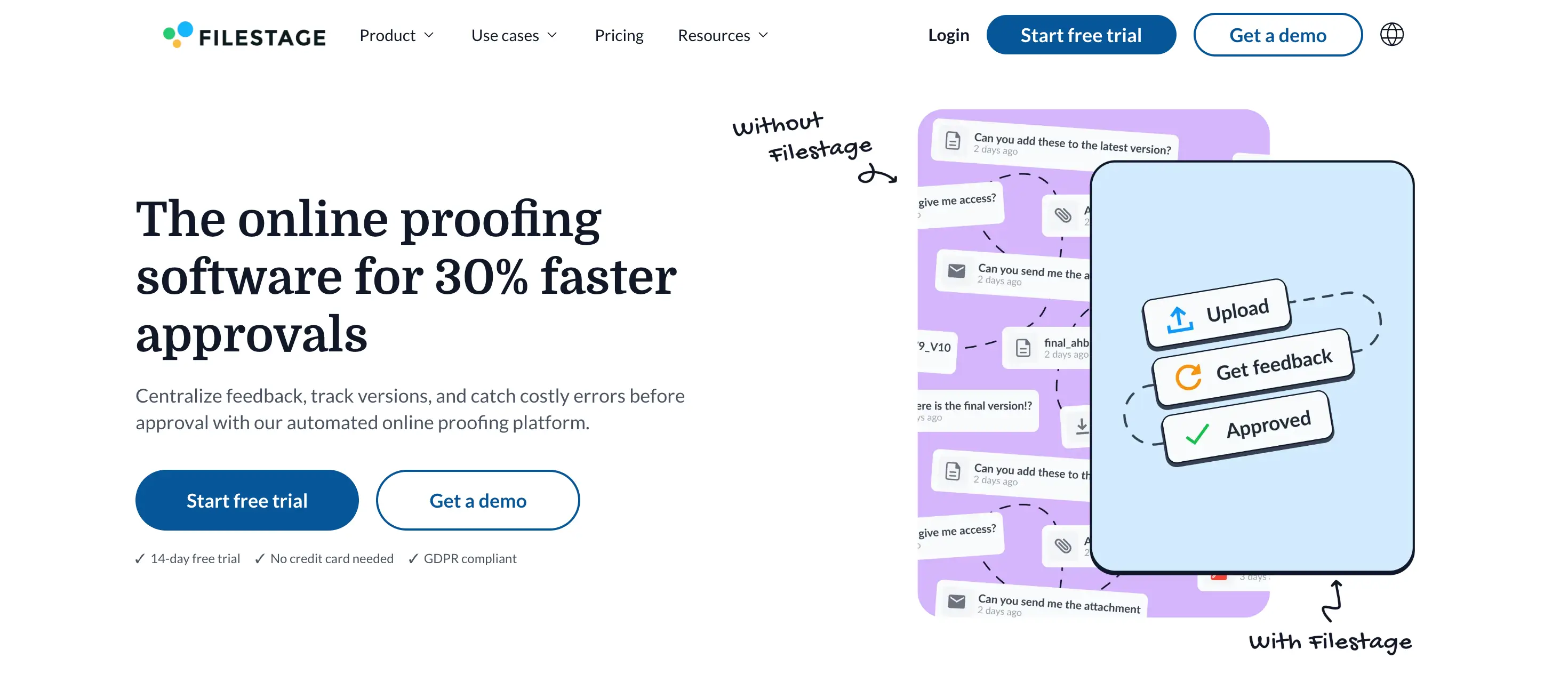
Filestage is a structured approval platform built for marketing and creative teams managing multi-stage review cycles. It supports video, image, PDF, audio, and web content. Pricing starts at $49/mo for the Basic plan (unlimited reviewers, unlimited projects, no per-reviewer billing).
Key features:
- Multi-stage approval workflows with custom review steps per project
- Annotations on video, image, PDF, and audio files
- Unlimited external reviewers (clients) at no extra cost
- Version control and approval status tracking per file
Pros:
- Flat pricing per team, not per member or per reviewer, so adding clients to a review doesn't increase cost
- Structured multi-stage approval (e.g. internal review, then client review, then final sign-off) is more defined than Frame.io's workflow
- Supports a wider range of file types for review, including PDF, audio, and web
Cons:
- More expensive entry price ($49/mo) than Frame.io Pro for very small teams
- No Camera to Cloud or NLE panel integration
- No custom domain or client delivery page
How it compares to Frame.io: Filestage's flat per-team pricing makes it cheaper than Frame.io for larger teams: a 10-person agency on Frame.io Team pays $250/mo, while Filestage Basic at $49/mo includes unlimited team members and unlimited external reviewers. The trade-off is no Camera to Cloud and no direct NLE integration.
Best for: Agencies with larger teams or high reviewer counts who want to reduce Frame.io's per-member cost without losing structured approval workflows.
6. Vimeo Review
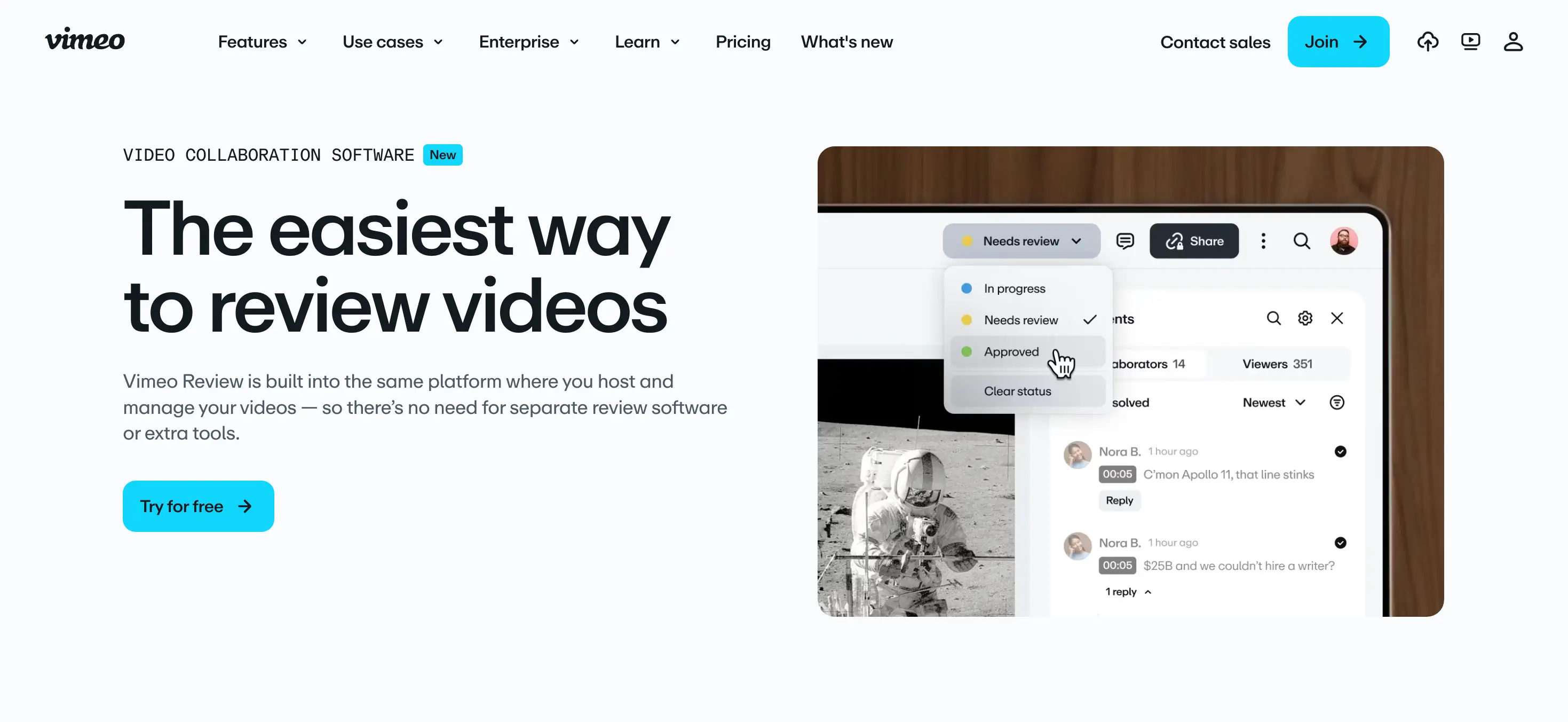
Vimeo Review is a video-specific review and approval feature included with Vimeo's paid plans. It adds time-coded comments, approval workflows, and password-protected review links directly to Vimeo's video hosting and sharing platform. Vimeo Pro starts at $20/mo (billed annually), Premium at $75/mo.
Key features:
- Time-coded comments and approval requests on hosted videos
- Password-protected review links, no account required for reviewers
- Version management and review history on Vimeo's platform
- Built into Vimeo's existing hosting and sharing infrastructure
Pros:
- If you already pay for Vimeo, Review is included rather than a separate subscription
- No per-reviewer billing, clients can leave comments without a Vimeo account
- Familiar interface for clients who already use Vimeo to watch videos
Cons:
- Video-only: no support for image, PDF, audio, or other file types in review
- No Camera to Cloud, no NLE panel integration
- No custom domain on the review link or delivery page
- Review features are less advanced than Frame.io's (no frame-accurate drawing annotations)
How it compares to Frame.io: Vimeo Review covers the basic time-coded comment workflow at a lower price if you're already paying for Vimeo hosting. It's considerably less capable than Frame.io for production review (no drawing annotations, no NLE integration, video-only) but serves simpler review needs well. Neither has a custom domain.
Best for: Agencies already using Vimeo for hosting who want basic client review and approval without paying for a dedicated review platform.
7. MASV
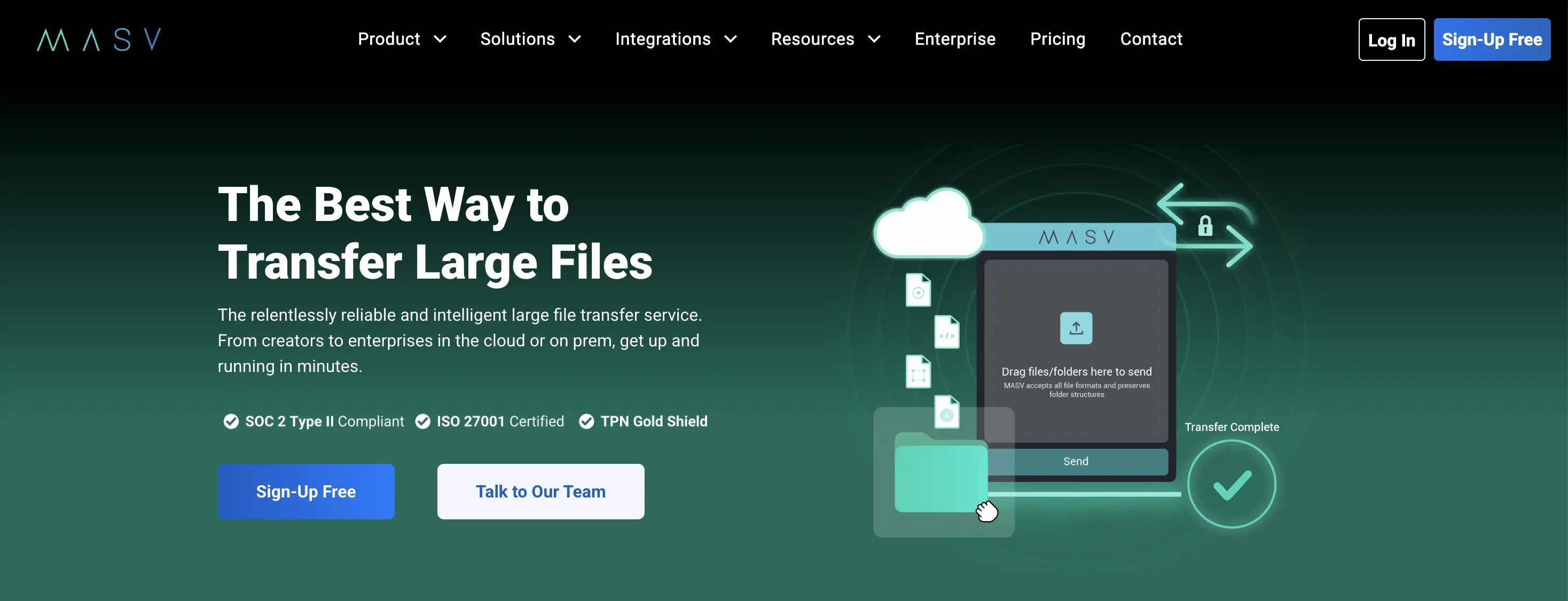
MASV is built for production teams moving very large media files. There's no file size cap. The Starter plan is pay-as-you-go at $0.25/GB after 15GB free per month. The Value subscription plan starts at $215/mo for 1TB/month on an annual commitment.
Key features:
- No upper limit on file size
- Pay-per-use Starter or subscription Value plans up to 5TB/month
- Branded upload portals for receiving files from clients
- AES-256 encryption, SOC 2 and ISO 27001 certified
Pros:
- No file size ceiling, handles the largest production files without per-file caps
- Pay-as-you-go option for irregular volume
- Enterprise-grade security certifications
Cons:
- No review features whatsoever: no comments, no annotations, no approvals
- No custom domain or branded delivery page
- No client portal
How it compares to Frame.io: MASV solves a different problem entirely. Frame.io is for review; MASV is for moving very large files. The overlap is that both are used by production teams, but they serve different parts of the workflow. If Frame.io's 2TB storage on Pro is the specific limit you're hitting on large projects, MASV handles the transfer without a size ceiling. See the MASV alternatives guide for more.
Best for: Video production studios who need Frame.io's file transfer speed and large-file handling, without the review features.
8. Google Drive
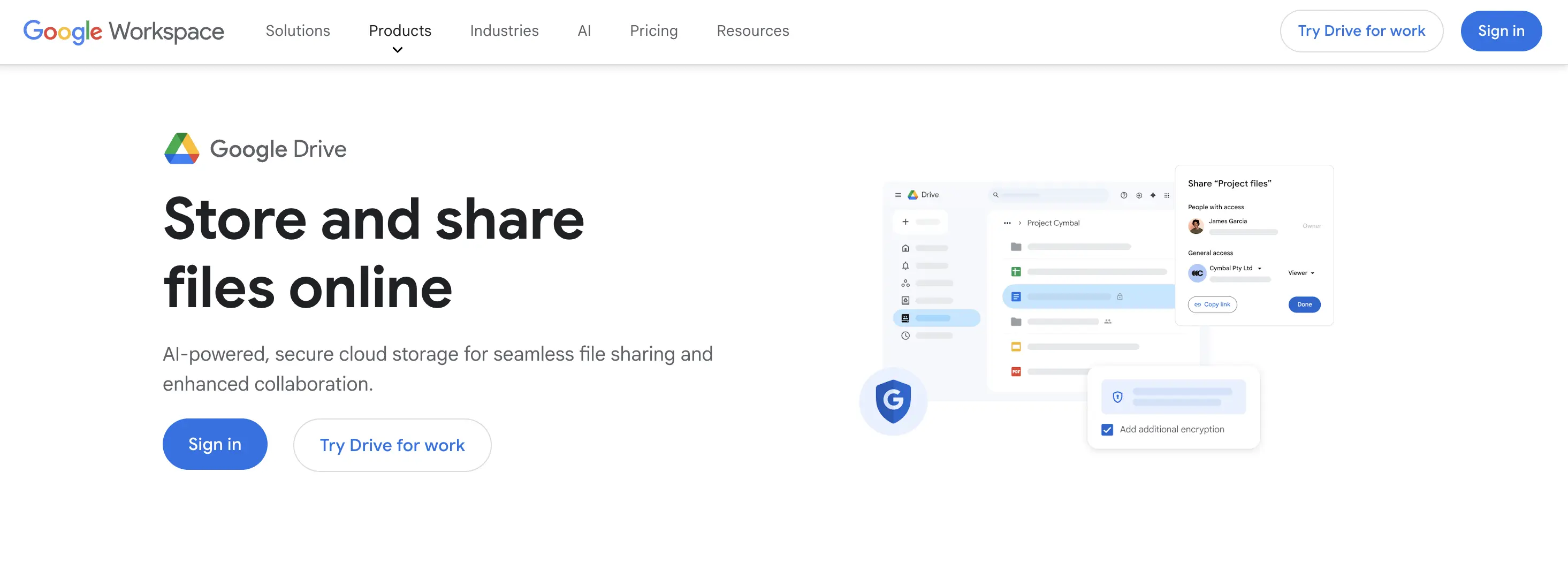
Google Drive is built for ongoing storage and collaboration. Personal accounts get 15GB free with a 5TB per-file limit. Google Workspace plans start at $6/user/mo and include more storage, shared drives, and admin controls.
Key features:
- 5TB per-file limit, real-time collaborative editing on Docs, Sheets, Slides
- Comments and version history on files
- Shared drives with admin-controlled permissions on Workspace
- 15GB free, familiar to most clients
Pros:
- Much cheaper than Frame.io for basic file sharing and comments: Workspace starts at $6/user/mo versus Frame.io Pro at $15/user/mo
- 5TB per-file limit covers most production file sizes
- Most clients already have a Google account
Cons:
- No video review features: no time-coded comments, no frame-accurate annotations, no approval routing
- No custom domain or branded delivery page
- Recipients may need to sign in depending on sharing settings
How it compares to Frame.io: Google Drive is not a review platform. It replaces Frame.io's basic file storage and sharing, but not the time-coded comment or approval workflow. For agencies using Frame.io mainly as a file store and share link, Drive is considerably cheaper. For agencies using Frame.io's review features, Drive's comment system doesn't come close. See the Google Drive alternatives guide for more.
Best for: Agencies replacing Frame.io's basic file sharing and storage, who don't need video review features.
9. Dropbox
Dropbox is a cloud storage and collaboration platform. The free plan gives 2GB storage. Plus is $11.99/user/mo (billed annually) with 2TB. Business plans start at $15/user/mo with 9TB pooled storage and admin controls. Dropbox Transfer, a separate feature for sending files via link, caps at 100MB free, 2GB on Plus, and 100GB on Professional.
Key features:
- 2TB storage on Plus ($11.99/user/mo), 9TB pooled on Business ($15/user/mo)
- Dropbox Transfer for one-way file sends with link expiry
- Paper (docs and notes), basic commenting on files
- Integrations with Slack, Zoom, and Adobe Creative Cloud
Pros:
- More storage per dollar than Frame.io for raw file storage: Business at $15/user/mo includes 9TB pooled, Frame.io Pro at $15/user/mo includes 2TB per member
- Dropbox Transfer's file delivery is simpler than Frame.io's for basic sends
- Deep integration with Adobe Creative Cloud for studios already using both
Cons:
- No video review features: no time-coded comments, no frame-accurate annotations
- No custom domain on any plan
- Dropbox Transfer's 100MB free limit is very small for production files
How it compares to Frame.io: Dropbox replaces Frame.io's raw storage more cost-effectively, but not its review features. For agencies using Frame.io primarily as a file store and share, Dropbox Business at $15/user/mo gives significantly more storage for the same price. For review workflows, Dropbox has nothing equivalent. See the Dropbox Transfer alternatives guide for more.
Best for: Agencies replacing Frame.io's raw storage and basic file sharing, particularly those already using Dropbox for internal files.
10. Loom
Loom is a video messaging and asynchronous communication tool. It lets you record screen, camera, or both, and share the recording via a link. The free plan includes 25 videos with a 5-minute limit per video. Business is $12.50/user/mo (billed annually) with unlimited videos and length, plus viewer insights.
Key features:
- Screen and camera recording with instant shareable link
- Time-stamped comments on recordings from viewers
- Viewer engagement analytics: who watched, how far, when they dropped off
- Integrations with Slack, Notion, Jira, and others
Pros:
- Far cheaper than Frame.io for async video communication: Business at $12.50/user/mo versus Frame.io Pro at $15/user/mo
- No file upload required: records directly in browser or desktop app
- Viewer insights show whether clients actually watched the video
Cons:
- Not a production review tool: no frame-accurate annotations, no version stacking, no approval routing
- Not suitable for reviewing finished edit files: Loom is for communication, not file review
- No custom domain or branded delivery
How it compares to Frame.io: Loom is a different tool category. It replaces the async video communication part of Frame.io (screen recordings, walkthroughs, brief-style feedback) but not the production review workflow. For agencies using Frame.io to send walkthrough videos and collect basic feedback, Loom is cheaper and simpler. For agencies using Frame.io's frame-accurate annotation and approval workflows, Loom doesn't reach that level.
Best for: Agencies replacing Frame.io's video messaging and async communication features, not its production review workflow.
11. Bynder
Bynder is a digital asset management (DAM) platform built for brand teams managing large libraries of approved assets. It includes review and approval workflows, version control, and brand guideline portals. Pricing is custom, typically starting around $450/mo for small teams.
Key features:
- Centralized brand asset library with metadata, tagging, and search
- Review and approval workflows with customizable stages
- Brand portals for sharing approved assets with external teams
- Integrations with Adobe Creative Cloud, Salesforce, WordPress, and others
Pros:
- Handles much larger asset libraries than Frame.io's project-based structure
- Brand portals let external teams access approved assets without emailing individual files
- Approval workflows are enterprise-grade with audit trails
Cons:
- Custom pricing, typically far more expensive than Frame.io at comparable team sizes
- Overkill for production review: Bynder is for managing finished brand assets, not reviewing work-in-progress
- No custom domain for client file delivery in the same sense as TrunkTransfer
How it compares to Frame.io: Bynder solves a different problem to Frame.io. Frame.io is for reviewing work in progress; Bynder is for managing and distributing finished, approved brand assets. Agencies outgrowing Frame.io because they need a proper brand asset library and distribution system should consider Bynder. Agencies switching for cost or review feature reasons should look at the other tools on this list first.
Best for: Larger agencies that need a brand asset management system rather than a production review tool.
Quick Picks by Use Case
- Replacing Frame.io's final delivery step with a branded custom-domain page, plus basic client approval: TrunkTransfer at $9/mo flat. Clients can leave comments and flag files as approved directly in the portal, no account required. Add it alongside your existing review tool for the production phase.
- Replacing Frame.io's review and approval workflow: Wipster for NLE-integrated video review, Filestage for multi-stage structured approvals, Hightail for review plus some file delivery in one tool.
- Reducing cost for basic video review without NLE integration: Vimeo Review if you already pay for Vimeo, or Filestage for flat per-team pricing.
- Replacing Frame.io's raw storage more cost-effectively: Dropbox Business (9TB pooled at $15/user/mo) or Google Drive.
- Replacing Frame.io for async video communication: Loom at $12.50/user/mo.
- Managing finished brand assets across a large team: Bynder, with the expectation of custom pricing.
- Sending very large production files with no size ceiling: MASV, pay-as-you-go after 15GB free per month.
- Unifying media libraries scattered across multiple storage providers: Iconik, with custom pricing based on storage and users.
Switching from Frame.io?
Most agencies use Frame.io for two things at once: production review during the feedback phase, and final file delivery at the end. Those two jobs are better served by separate tools than by one expensive per-member platform trying to do both.
The pattern that works for most creative agencies: a review tool for the production feedback phase (Wipster, Filestage, or Hightail depending on your workflow), and TrunkTransfer for the final delivery step. TrunkTransfer includes client comments and file-level approval built into the portal, so clients can leave feedback and mark files as approved without signing up anywhere, which handles the "did the client sign off?" moment for most final deliveries. The combined cost of Wipster's Team plan plus TrunkTransfer's Starter plan ($9/mo) is usually lower than a full Frame.io Team subscription for the same headcount, and the client gets a cleaner branded delivery experience on your own domain rather than a Frame.io-hosted page.
Send your first file from your own domain →
Frequently Asked Questions
What is Frame.io and what is it actually built for?
Frame.io is a cloud-based creative review and collaboration platform owned by Adobe. Its core features are time-coded comments, frame-accurate drawing annotations on video, version stacking, approval routing, and Camera to Cloud (direct upload from on-set cameras to Frame.io). It integrates directly with Adobe Premiere Pro, After Effects, and Final Cut Pro via dedicated panels. It's used by video production teams, editors, and creative agencies to manage client review and feedback during production.
Does Frame.io have a custom domain?
No. Custom-branded shares on Pro and above apply your logo and colors to a Frame.io-hosted presentation page. Every share link lives on Frame.io's infrastructure. There is no plan, including Enterprise, that puts the delivery on your own domain like files.yourstudio.com. TrunkTransfer is the only tool on this list with a true custom domain at a standard price, from the $9/mo Starter plan.
How does Frame.io's per-member pricing compare to alternatives?
Frame.io Pro is $15/member/mo (monthly) for up to 5 members. Frame.io Team is $25/member/mo for up to 15 members. A 5-person studio on Pro pays $75/mo; on Team $125/mo. Filestage Basic at $49/mo covers unlimited team members. TrunkTransfer is $9/mo flat regardless of team size. Hightail Pro is $12/user/mo, Teams $24/user/mo. Wipster Team is around $25/user/mo, similar to Frame.io Team.
What is Frame.io's free plan actually useful for?
The free plan is limited to 2 members, 2GB total storage, and 2 projects. That's not enough for real production work. It functions as a trial to evaluate the interface rather than a working plan for any agency.
Can Frame.io replace a file delivery tool like TrunkTransfer?
Partially, and the reverse is also partially true. Frame.io's shared presentations let you send polished review links, but every link is on Frame.io's infrastructure and has no client portal collecting all past deliveries. TrunkTransfer, on the other hand, includes client comments and file-level approval built into the client portal: clients can leave feedback and mark files as approved without creating an account anywhere. What TrunkTransfer doesn't have is frame-accurate drawing annotations or time-coded video comments. For the final delivery of finished files, where the client needs to confirm receipt and approval, TrunkTransfer handles that on your own domain at $9/mo flat. For the production review phase, Frame.io's annotation tools are in a different category.
Is Wipster or Filestage better than Frame.io for video review?
It depends on your workflow. Wipster is closer to Frame.io on NLE integration (Premiere Pro, After Effects panels) and frame-accurate annotation. Filestage is better for structured multi-stage approvals with flat per-team pricing. Frame.io's Camera to Cloud feature is unique and not matched by either. For agencies not using Camera to Cloud or who aren't heavily in the Adobe ecosystem, both are worth evaluating.
Does Frame.io work without an Adobe subscription?
Yes. Frame.io is available as a standalone product without an Adobe Creative Cloud subscription. Adobe CC subscribers get access to Frame.io features integrated into Premiere Pro and other tools. The standalone pricing shown in this guide applies to non-Adobe CC subscribers.
What changed with Frame.io since Adobe acquired it?
Adobe acquired Frame.io in 2021. Since then, Frame.io has been progressively integrated into Adobe Creative Cloud, with Frame.io panels in Premiere Pro and After Effects, and Camera to Cloud built into select cameras. Pricing and the core platform have remained relatively stable, but the long-term roadmap is increasingly Adobe-centric.
Is there a free alternative to Frame.io for basic video review?
Vimeo Review is included with Vimeo's paid plans (from $20/mo annually) and covers basic time-coded comments without a separate subscription. Google Drive's comment system on shared video files is free but doesn't include time-coded commenting. Loom's free plan (25 videos, 5-minute limit) covers async video feedback. None of these match Frame.io's full review and annotation feature set.


