

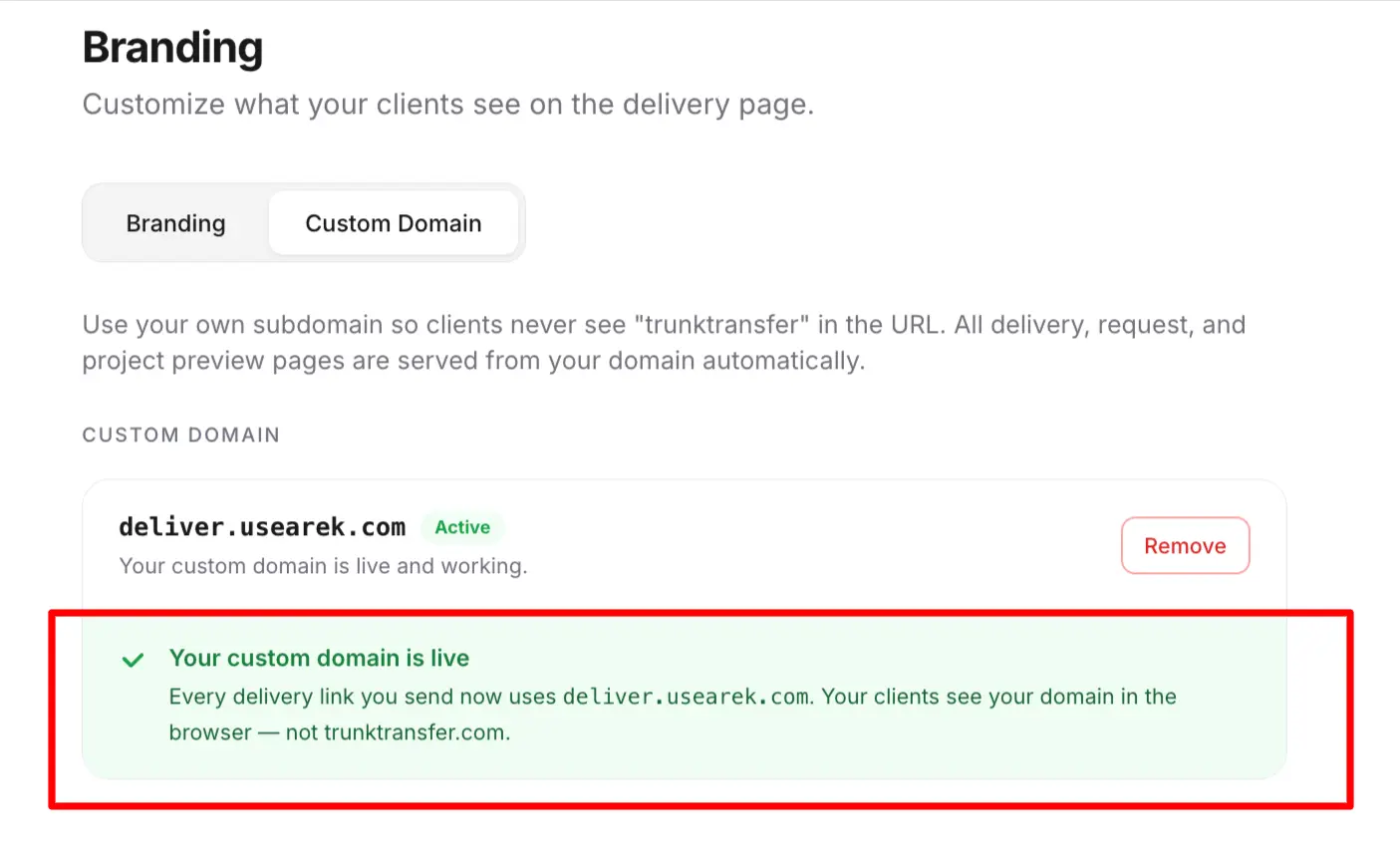
You can get branded file transfer on your own domain for $9/mo. The reason it seems to cost more is that most file transfer tools deliberately gate a true custom domain behind their enterprise plans: Files.com charges $499/mo for it, TransferNow and Smash reserve it for custom-priced Enterprise tiers, and WeTransfer doesn't offer it at any price. But the technology behind a custom domain is a single DNS record and an automatically provisioned certificate. There is no technical reason it has to be an enterprise feature. This guide shows where the real pricing lands and how to get the branded result without the enterprise bill.
Why "Custom Domain" Usually Means "Enterprise"
Across the file transfer market, a true custom domain, your own files.yourbrand.com rather than a vendor subdomain, is consistently positioned as a premium, enterprise-tier feature. Here's where it actually sits:
| Tool | Custom domain available on | Price |
|---|---|---|
| TrunkTransfer | Starter (entry tier) | $9/mo |
| Files.com | Power plan | $499/mo |
| TransferNow | Enterprise only | Custom pricing |
| Smash | Enterprise only | Custom pricing |
| WeTransfer | Not available | N/A |
| Dropbox Transfer | Not available | N/A |
| Google Drive | Not available | N/A |
Look at the spread. The same feature, a CNAME pointing at the vendor and an automatic TLS certificate, is $9/mo on one tool and $499/mo on another, with several tools reserving it for "contact sales" enterprise tiers. That's not a difference in what the feature costs to deliver. It's a difference in how each vendor decides to package and price it.
The Feature Isn't Expensive. The Packaging Is.
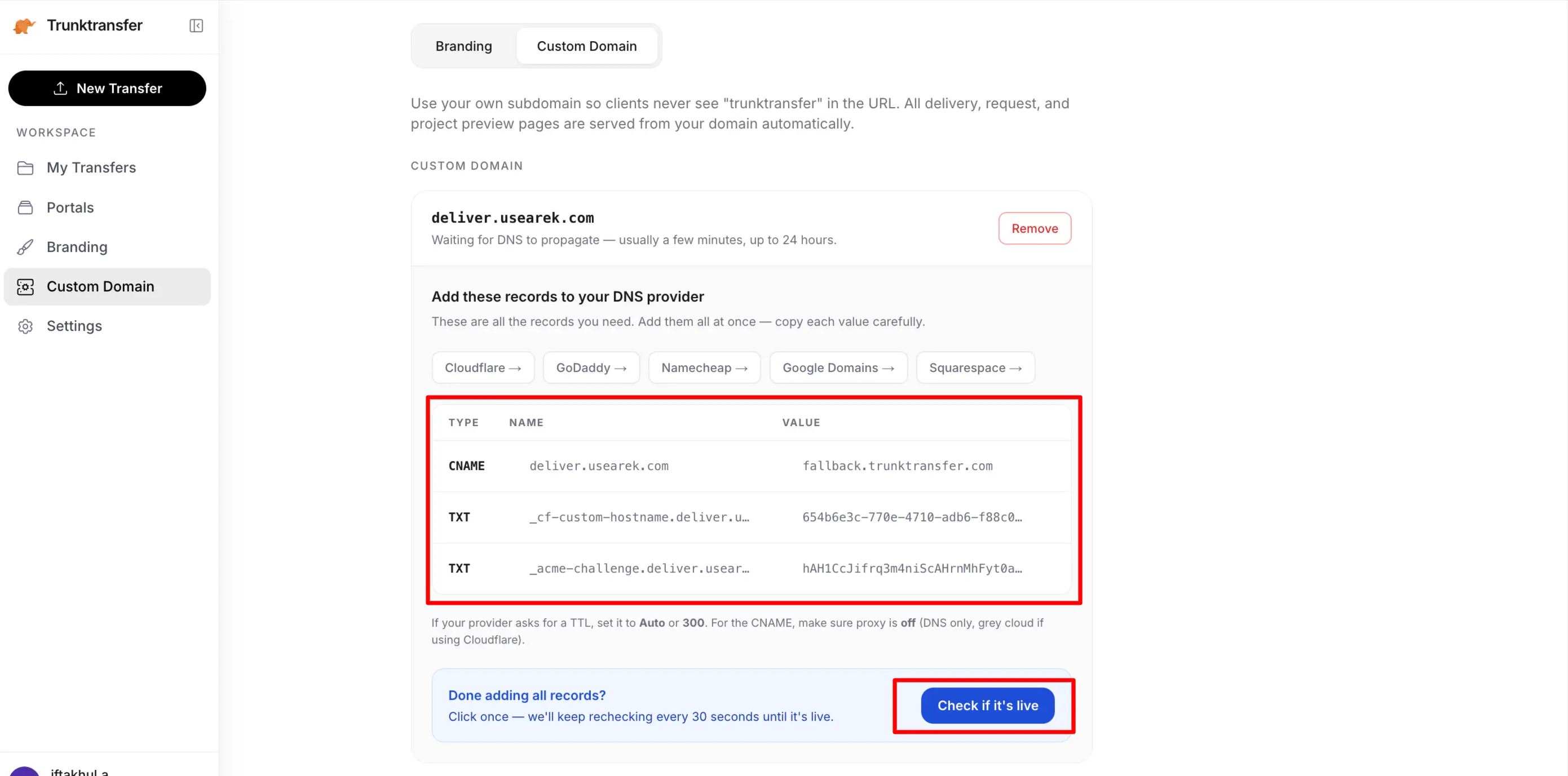
Here's what a custom domain actually requires technically:
- You add one CNAME record at your DNS provider, pointing
files.yourbrand.comat the tool. - The tool provisions a TLS certificate for that subdomain automatically (usually via Let's Encrypt) and renews it in the background.
- When a client clicks the link, the tool serves your branded page over your domain.
That's it. There is no per-customer engineering, no manual work, no ongoing cost that scales with anything. Once a tool has built custom-domain support once, adding another customer's domain is essentially free. The complete guide to branded file transfer covers the technical detail.
So why do most tools charge enterprise prices for it? Because they can bundle it with the things enterprises genuinely will pay for, SSO, audit logs, compliance, admin controls, and use the custom domain as a reason to push buyers up the pricing ladder. If you want your domain on your links, they reason, you can afford the enterprise tier. The custom domain becomes a lever, not a line item.
What Enterprise Pricing Is Actually For
To be fair to the enterprise tiers: they're not only selling you a custom domain. Files.com's $499/mo Power plan includes SFTP, AS2, automation workflows, GPG encryption, dedicated IPs, and compliance features. TransferNow and Smash Enterprise add SSO and admin controls. If you need those things, the price reflects real capability.
The problem is only when you don't need any of that, and you're pushed into an enterprise plan solely to get your domain on your file links. That's paying for a whole platform to unlock one branding feature. If your actual requirement is:
- Client files on my own domain
- My logo and colors on the page
- No client account required
- A portal per client
then none of the enterprise machinery applies to you, and neither should the enterprise price.
Branded File Transfer at $9/mo
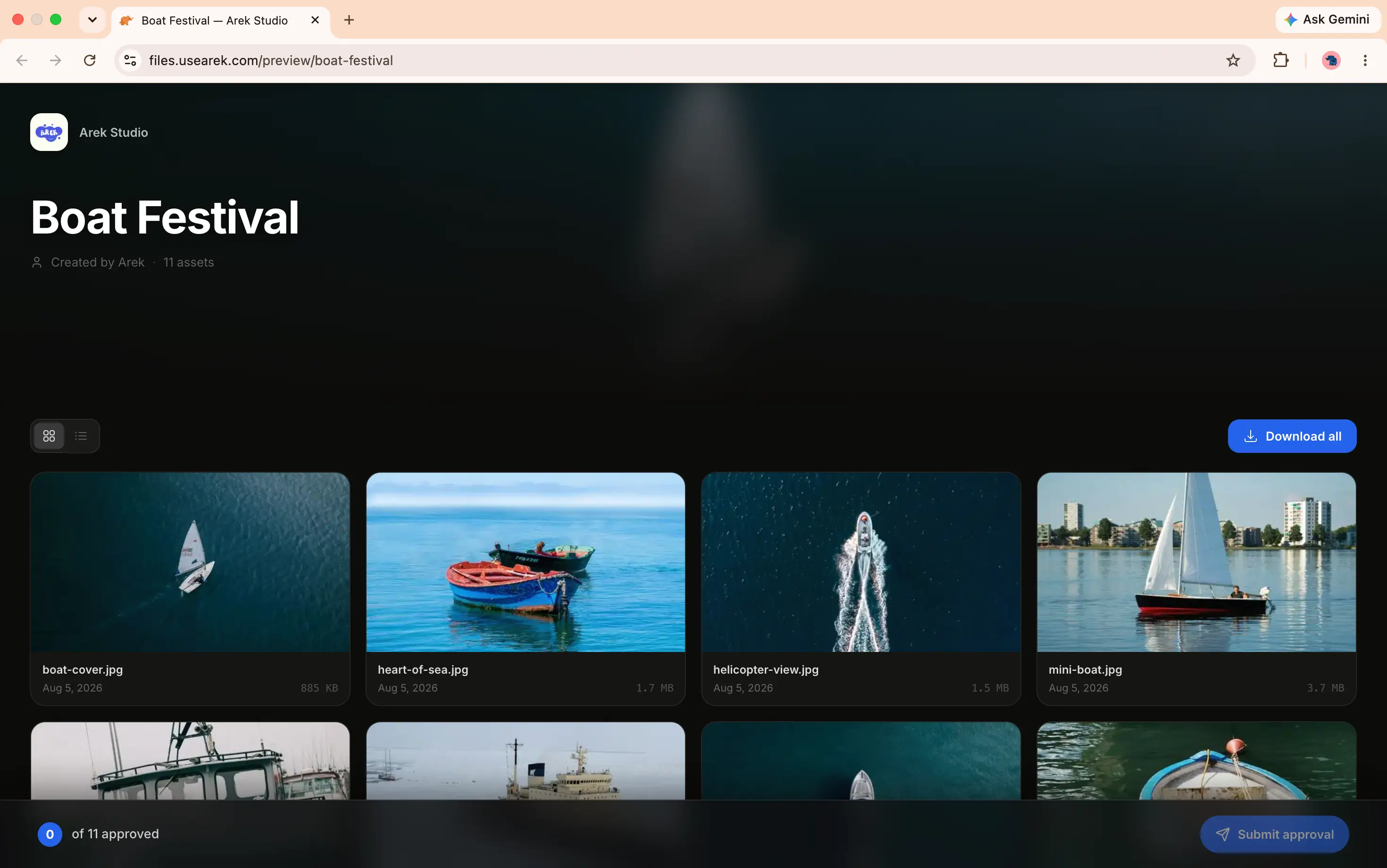
TrunkTransfer includes the custom domain at its entry tier because branded client delivery is the entire product, not an upsell lever bolted onto an enterprise platform. The Starter plan ($9/mo, or $6/mo billed yearly, 7-day trial) includes:
- A true custom domain (
files.yourbrand.com) - Full white-label branding, delivery and upload pages
- Client portals, one link per client
- Client comments and file approval, no client account
- Download notifications, password protection, link expiry
- Up to 200GB per transfer
It's the same custom-domain result the enterprise tiers charge $199 to $499/mo for, minus the enterprise machinery you weren't going to use.
When You Do Need Enterprise
This isn't an argument against enterprise plans in general. If you need SSO across a large team, SFTP or AS2 automation, compliance certifications, audit logging, or system-to-system file movement, then an enterprise MFT platform like Files.com is the correct tool and its pricing is justified by everything beyond the custom domain.
The point is narrower: don't pay enterprise prices for enterprise features you don't need, just to get a custom domain that costs $9/mo elsewhere.
Frequently Asked Questions
Why does a custom domain cost $499/mo on some file transfer tools?
Not because the feature is expensive to deliver, it's one DNS record and an automatic certificate, but because vendors bundle it into enterprise plans alongside features enterprises pay for (SSO, SFTP, compliance) and use it as a reason to push buyers to higher tiers. TrunkTransfer includes it at $9/mo because branded delivery is its whole product.
Which file transfer tool has the cheapest custom domain?
As of 2026, TrunkTransfer at $9/mo (Starter plan) is the lowest-priced true custom domain in the market. The next options are TransferNow and Smash (Enterprise-only, custom pricing) and Files.com ($499/mo Power plan).
Do I need an enterprise plan for branded file transfer?
No. If your need is branded client delivery, your domain, your logo, no client account, you can get all of it for $9/mo. You only need an enterprise plan if you need enterprise features like SSO, SFTP automation, or compliance.
Is a cheap custom domain lower quality than an enterprise one?
No. The underlying technology is identical: a CNAME record and an automatically provisioned TLS certificate. A $9/mo custom domain and a $499/mo custom domain produce the same result, a secure branded link on your own domain. The price difference is packaging, not quality.
What's the catch with $9/mo branded file transfer?
There isn't a hidden catch on the branding itself, the custom domain and white-label pages are complete. The trade-off is scope: a $9/mo branded delivery tool doesn't include enterprise MFT features (SFTP, automation, compliance). If you don't need those, there's no downside. If you do, you need a different category of tool.
The Bottom Line
A true custom domain is one DNS record and an automatic certificate. The reason it usually costs $199 to $499/mo is that vendors use it as a lever to sell enterprise plans, not because it's expensive to provide. If you need the enterprise features, pay for them. If you just want branded file transfer on your own domain, it's a $9/mo feature, and pricing it any higher is a choice the vendor made, not a cost you have to accept.


