

A branded upload page is a page on your own domain, like files.yourbrand.com/r/project, where clients send you files through an interface carrying your logo, colors, and business name instead of a generic file host's branding. It is the receive-side equivalent of a branded delivery: when you need a client to send you raw footage, brief materials, or assets, they land on a page that looks like your business, not a third-party tool.
Why the Upload Page Matters
Most file tools obsess over the download experience and forget that files travel in both directions. Every project starts with the client sending you something: footage, logos, brand assets, reference material, a brief. If that upload happens through a generic WeTransfer or Google Drive link, the very first interaction of the project already looks like you are running things through free consumer tools.
A branded upload page fixes the first impression. The client clicks a link on your domain, sees your logo, and uploads. Nothing about the page says "this business uses a free file tool." It says "this business has a system."
This is the half of branded file transfer that most tools ignore. Branded file transfer is not just about the files you deliver; it is about the whole exchange looking like it came from you. Learn more in the complete guide to branded file transfer.
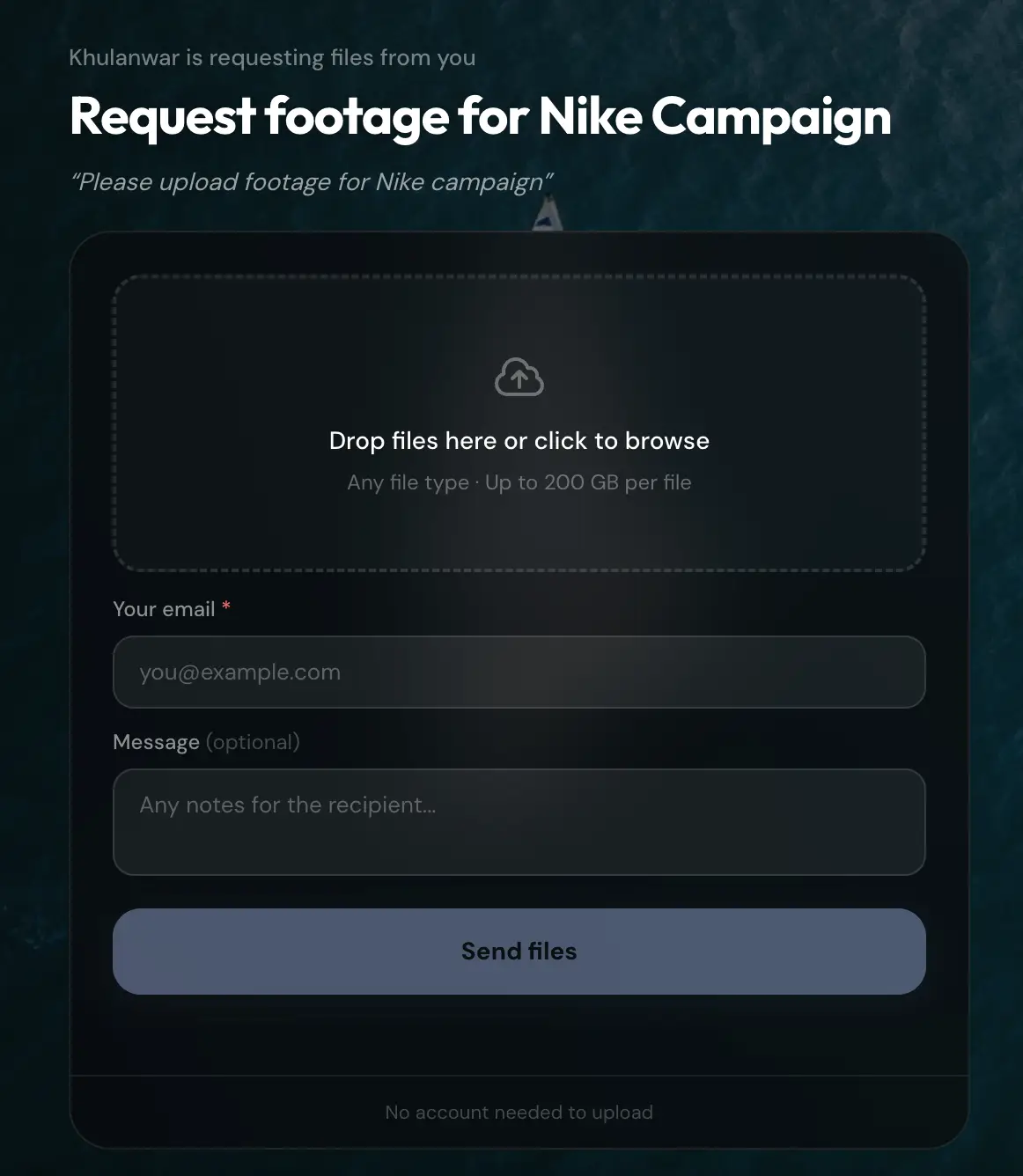
What a Good Branded Upload Page Includes
Your domain and branding. The page lives at files.yourbrand.com/r/... with your logo and colors, so the client never sees a third-party name.
No client signup. The client should upload with one click, no account, no app install. Friction on the upload page costs you the file.
A notification when files arrive. You get told the moment a client uploads, so you are not checking a folder repeatedly.
Large file support. Clients often send raw footage or high-res assets. The upload page should handle the same large files your delivery does.
A place the files land. Uploaded files should collect somewhere organized, ideally tied to the client, not scattered across disconnected links.
How to Set Up a Branded Upload Page
With TrunkTransfer's file request feature:
- Connect your custom domain (once), so all your pages, send and receive, live on
files.yourbrand.com. The setup guide covers the DNS step. - Create a request link. Give it a name, like
nike-shoot, and the upload link readsfiles.yourbrand.com/r/nike-shoot. - Send it to your client. They open it, see your branding, and upload with no account.
- Get notified. When files arrive, you are notified, and the files collect against that request.
See the docs on setting up your receive link for the full walkthrough.
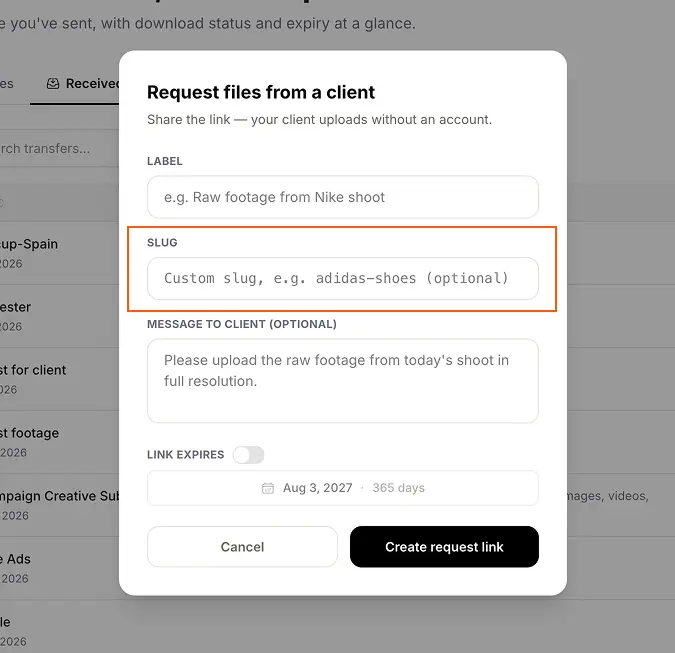
Two Details That Finish the Branding: Custom Slugs and a Custom Index
A branded upload page still has two loose ends by default: the link itself, and what happens when someone visits your bare domain with no link at all. Both are worth closing.
Custom slugs replace the random characters at the end of a request link with something readable. Instead of files.yourbrand.com/r/x7j2k9, the link reads files.yourbrand.com/r/nike-shoot, a name your client will actually recognize in an email thread or a calendar invite. It applies to file requests the same way it does to delivery links and client portals. Custom slugs are available on the TrunkTransfer Pro plan. See introducing custom link slugs for the full feature.
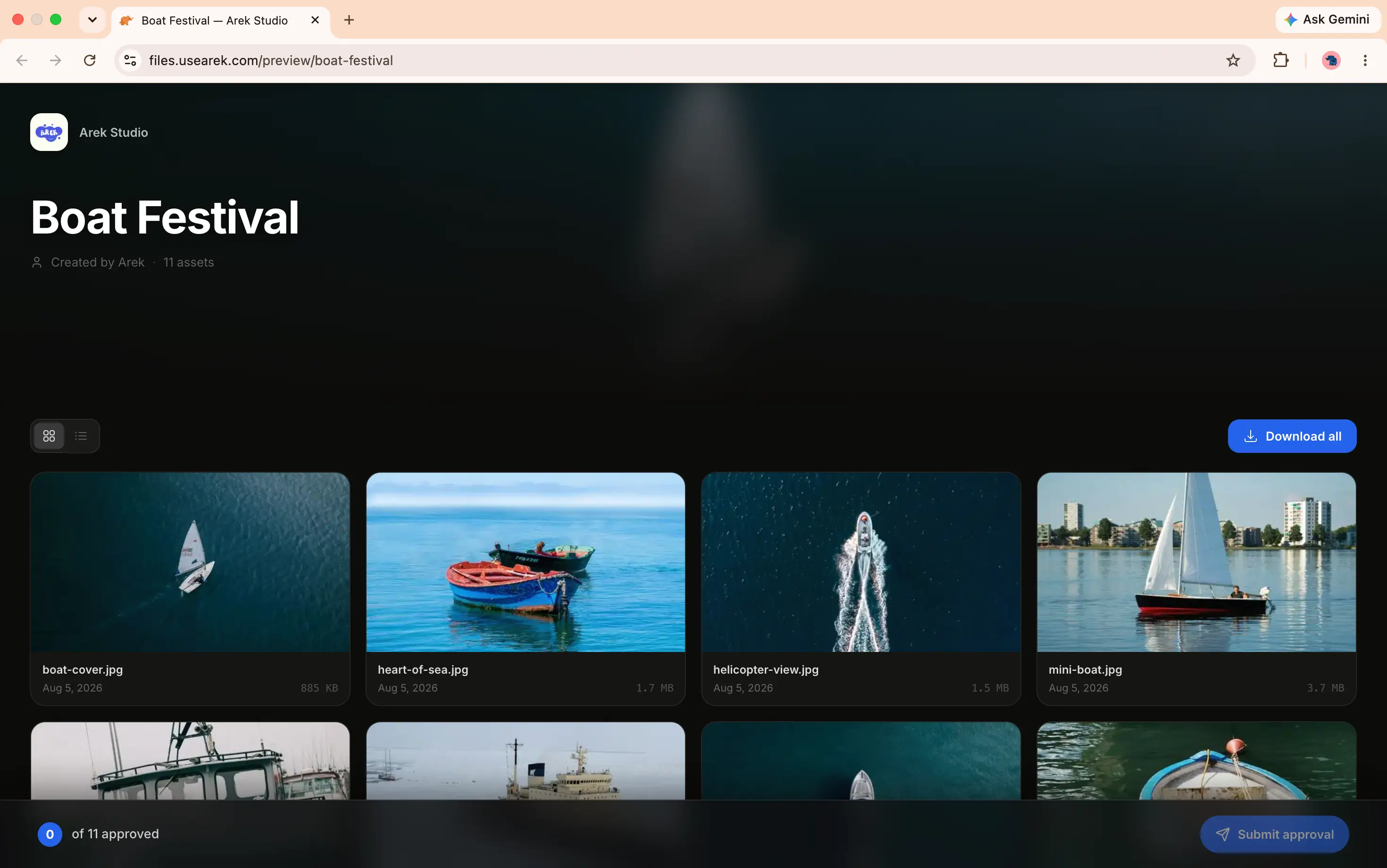
A custom index page decides what a client sees if they land on your bare domain, files.yourbrand.com, with no specific link at all, someone typing it from memory, or an old bookmark. Left unset, that is a dead or generic page. Instead, you can point your domain's root at a Receive Files link or a Client Portal, so anyone who lands there sees something branded and useful instead of nothing. It falls back automatically to the default page if the target link expires or is unpublished. This is also on the Pro plan.
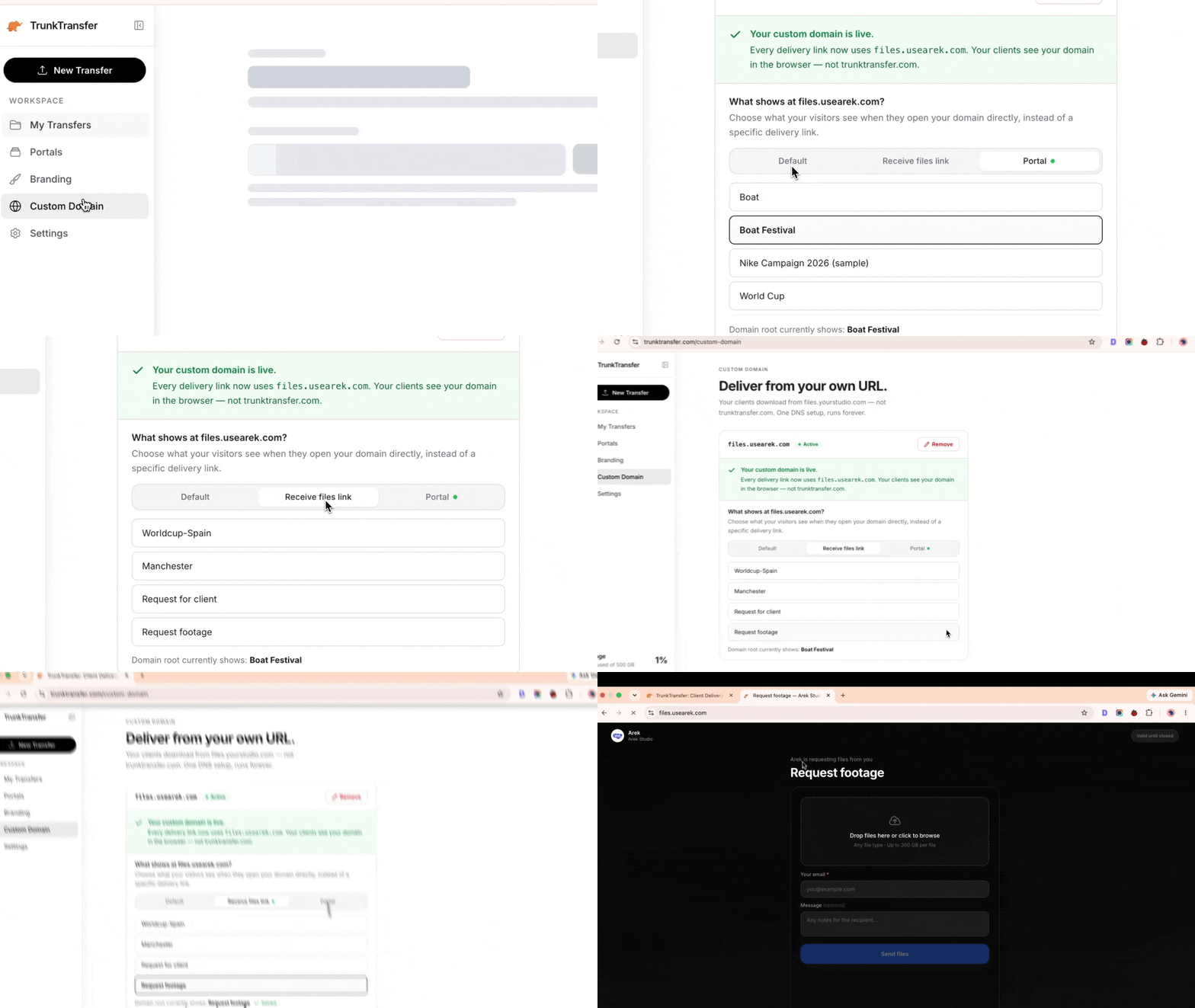
To set it up: go to Custom domain in the sidebar, find "What shows at files.yourstudio.com?", and choose Default, Request file link, or Portal. If you pick a request link or portal, select which one should be the homepage.
Together, a branded domain, a readable slug, and a custom index mean there is no point in the exchange, the link you send, the domain itself, or the page it lands on, where a vendor's name or a random string shows up instead of yours.
Branded Upload Page vs. a Generic Request Link
| Branded upload page | Generic request link | |
|---|---|---|
| Domain | Your own (files.yourbrand.com) | Vendor's (wetransfer.com, etc.) |
| Branding | Your logo and colors | Vendor's |
| Client account | Not required | Sometimes required |
| Looks like | Your own system | A free consumer tool |
Frequently Asked Questions
What is a branded upload page?
A branded upload page is a page on your own domain where clients send you files, carrying your logo and colors instead of a third-party file host's branding. It is the receive-side equivalent of a branded delivery page.
Can clients upload files without an account?
Yes, with the right tool. On TrunkTransfer, clients open your request link and upload with no account and no app, exactly like a download.
How is this different from a WeTransfer request link?
A WeTransfer request link lives on WeTransfer's domain with WeTransfer's branding. A branded upload page lives on your own domain (files.yourbrand.com/r/...) with your branding, so the client sees your brand, not the vendor.
Do I need a custom domain for a branded upload page?
For the page to live on your own URL, yes. TrunkTransfer includes a true custom domain on its $9/mo Starter plan, and the upload page uses it automatically once connected.
What happens to files clients upload?
They collect against the request you created, so uploads stay organized by project or client rather than scattered across separate links. See managing received files.
The Bottom Line
The upload page is the first thing a client touches on a project, and most businesses leave it looking like a free tool. A branded upload page on your own domain makes the very first interaction look like your business has a system, for the same $9/mo that brands your deliveries.


