

The Short Answer
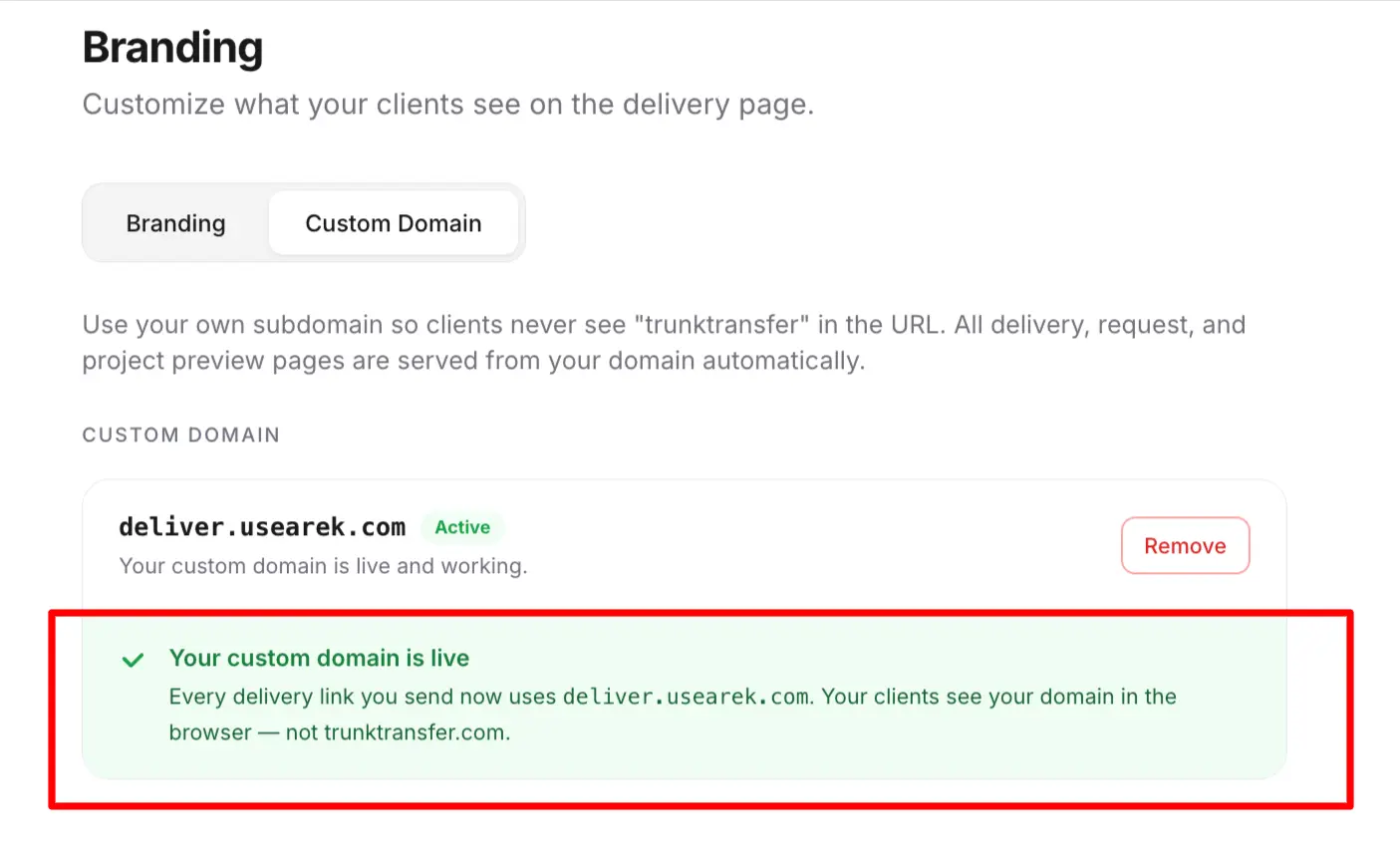
Yes. File sharing from your own domain is entirely possible, and technically simple. When it's set up, a client clicks a link like files.yourbrand.com/d/project and downloads from a page on your domain, with your branding, and no vendor name anywhere.
The catch is not technical, it's which tool you choose. The capability is called a custom domain (or CNAME support), and it's far less common at a reasonable price than you'd expect. Many of the most popular file sharing tools don't offer it at all.
Which Tools Let You Use Your Own Domain
Here's where a true custom domain stands across the major tools as of 2026:
| Tool | Own domain supported? | Plan and price |
|---|---|---|
| TrunkTransfer | Yes | Starter, $9/mo |
| TransferNow | Yes | Enterprise only, custom pricing |
| Smash | Yes | Enterprise only, custom pricing |
| Files.com | Yes | Power plan, $499/mo |
| WeTransfer | No | Not on any plan |
| Dropbox Transfer | No | Not on any plan |
| Google Drive | No | Not on any plan |
Two things stand out. First, the tools most people already use, WeTransfer, Dropbox, Google Drive, don't support it at all. Second, among tools that do, the price ranges from $9/mo to $499/mo for what is technically the same feature. The reasons behind that spread are covered in branded file transfer without enterprise pricing.
Watch Out for "Custom Domain" That Isn't
Some tools advertise a "custom domain" that's actually a branded subdomain: your name on their domain, like yourbrand.vendor.net. That still shows the vendor in the URL. TransferNow's Premium plan, for example, gives you yourbrand.transfernow.net, which is a subdomain, not your own domain. A true custom domain means files.yourbrand.com, with no vendor name at all. When a tool says "custom domain," check whether the client's link contains your domain or theirs. More on the distinction in what is white label file transfer.
How to Set It Up
Using your own domain for file sharing takes one DNS change and about 10 minutes. With TrunkTransfer as the example:
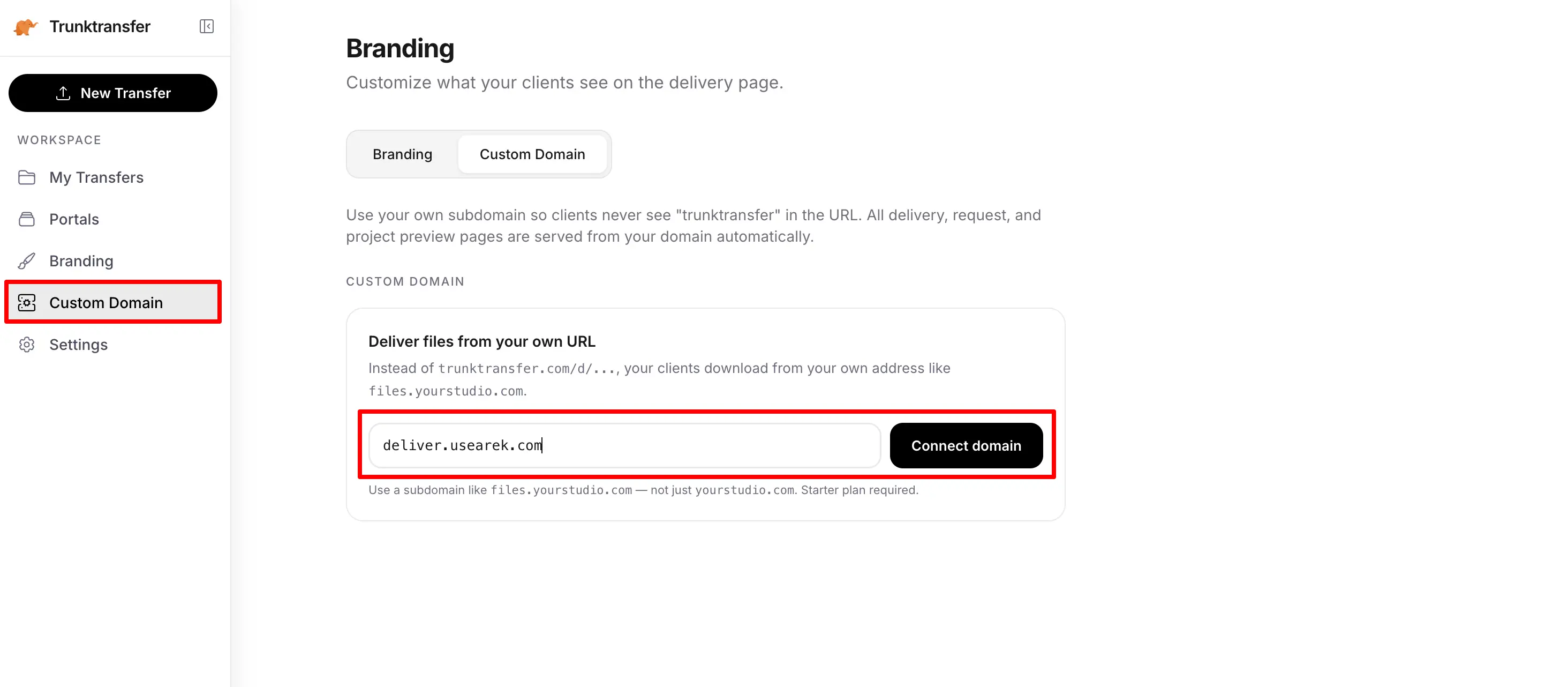
- Pick a subdomain. Something like
files.yourbrand.com,send.yourbrand.com, orshare.yourbrand.com. It sits alongside your main website without affecting it.
- Add one CNAME record. At your DNS provider (Cloudflare, GoDaddy, Namecheap, Squarespace), add a CNAME pointing your chosen subdomain at TrunkTransfer. This is a copy-paste step, and the setup guide covers each provider.
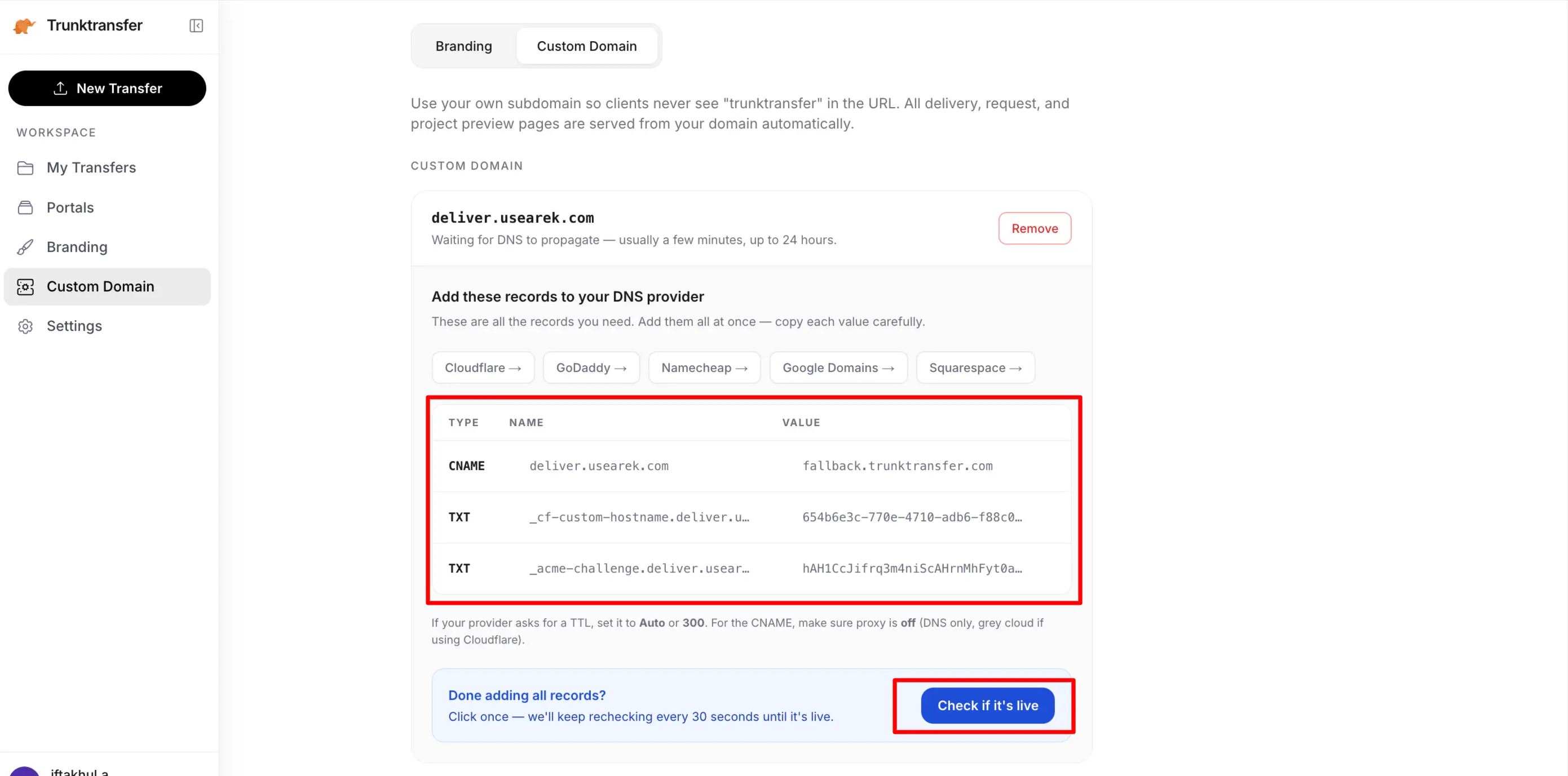
- Wait for DNS and the certificate. DNS propagation takes minutes to an hour. The TLS certificate (for the secure padlock) provisions automatically once your CNAME resolves. You never touch a certificate file.
- Share files. Every link you create now uses your domain. Clients download from
files.yourbrand.comwith your branding and no account.
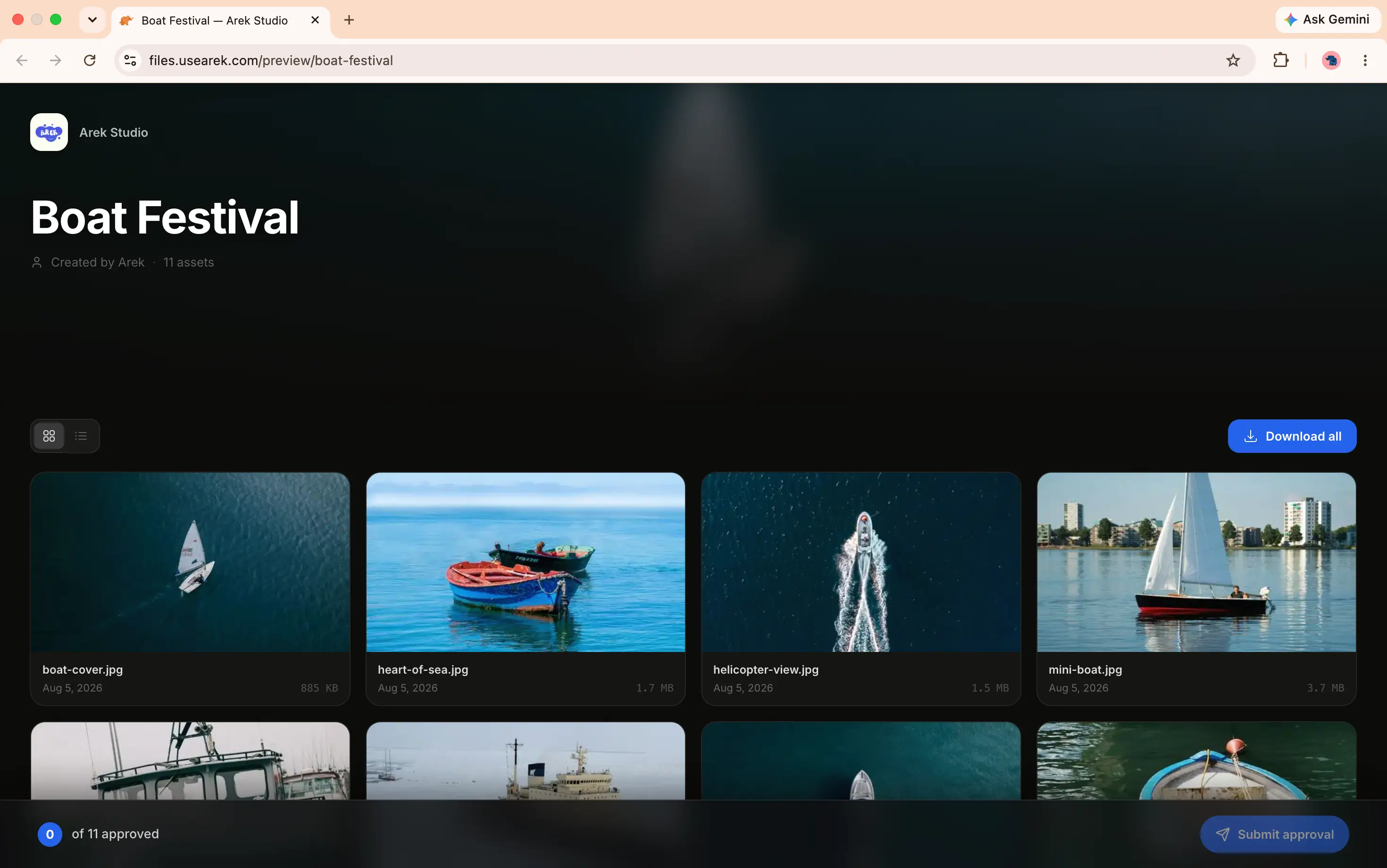
The only technical action on your side is step 2, one DNS record. Everything else is automatic.
Does This Affect My Website or Email?
No. You're pointing a subdomain (files.yourbrand.com) at the file sharing tool, using a CNAME record. Your main website at www.yourbrand.com and your email both use different DNS records and are completely untouched. This is why using your own domain for file sharing is safe to set up even if you're not technical: it can't interfere with your existing site or inbox.
Frequently Asked Questions
Can I use my own domain for file sharing?
Yes, with a tool that supports a true custom domain. Files can then be shared from files.yourbrand.com instead of a vendor's URL. TrunkTransfer supports this from $9/mo. Most popular tools (WeTransfer, Dropbox, Google Drive) don't offer it at all.
Does WeTransfer let me use my own domain?
No. No WeTransfer plan offers a custom domain. Every WeTransfer link stays on a we.tl or wetransfer.com address. To share files from your own domain, you need a different tool.
Can I use my own domain with Google Drive or Dropbox?
No. Neither Google Drive nor Dropbox Transfer supports a custom domain for share links on any plan, including their business tiers. Share links stay on google.com or dropbox.com.
How much does it cost to use my own domain for file sharing?
It ranges widely for the same feature: TrunkTransfer includes it at $9/mo, Files.com charges $499/mo (Power plan), and TransferNow and Smash reserve it for custom-priced Enterprise plans. The lowest standard price is $9/mo.
Is it hard to set up file sharing on my own domain?
No. It's one CNAME record at your DNS provider, a copy-paste step, and the TLS certificate provisions automatically. Total setup is about 10 minutes including DNS propagation. No technical background is required.
Will using my own domain for files affect my website?
No. You point a subdomain like files.yourbrand.com at the tool via a CNAME record. Your main website and email use separate DNS records and are unaffected.
What's the difference between a custom domain and a branded subdomain?
A custom domain is your own URL (files.yourbrand.com) with no vendor name. A branded subdomain is your name on the vendor's domain (yourbrand.vendor.net), which still shows the vendor. Only a true custom domain gives you a fully branded link. Some tools market the subdomain version as a "custom domain."
The Bottom Line
Yes, you can share files from your own domain, and it's technically simple: one DNS record, about 10 minutes, and the certificate is automatic. The real decision is the tool, because most popular options don't support it and the ones that do range from $9/mo to $499/mo for the same capability. If using your own domain is the goal, TrunkTransfer is the lowest-priced way to get it.


